Disclosure: We may earn a commission from links on this page. Learn more.
2.4 GHz vs 5 GHz Wi-Fi: Which Should You Use at Home in 2026?
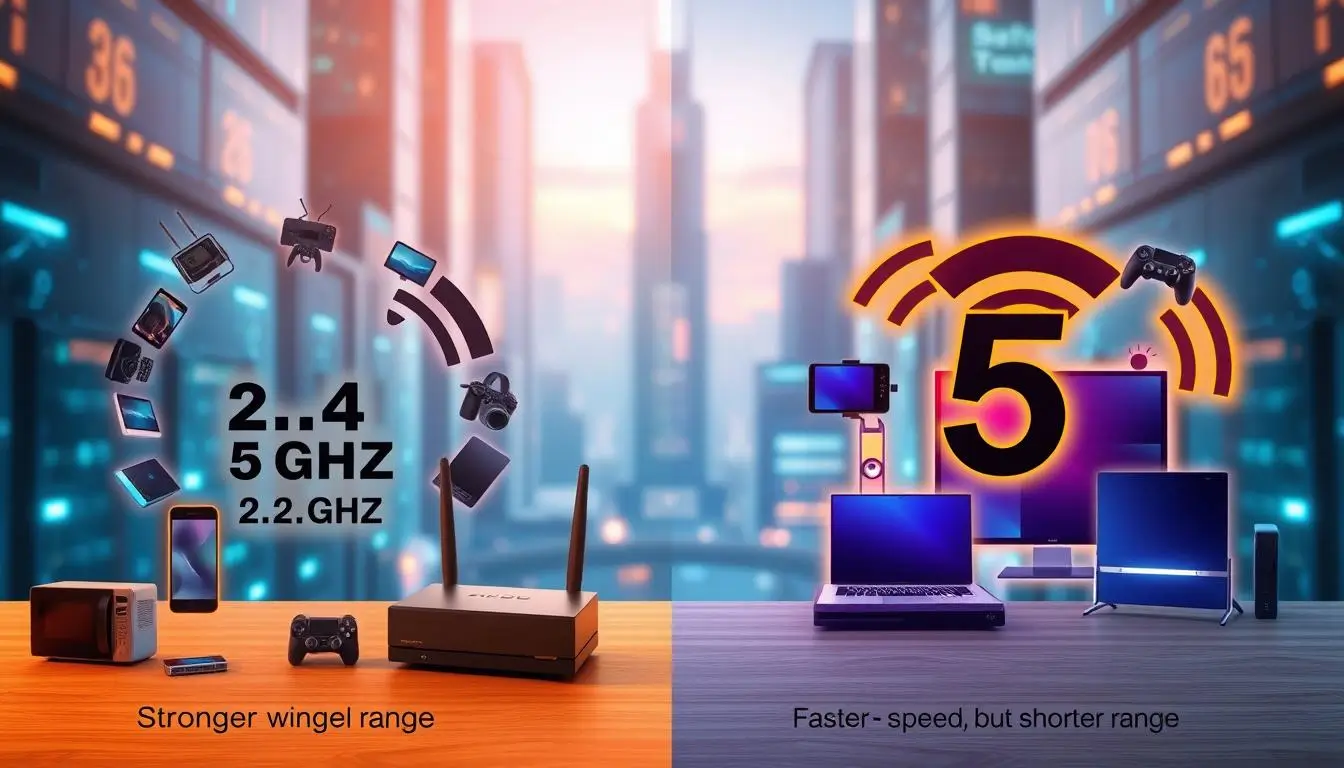
When you compare 2.4 GHz vs 5 GHz Wi-Fi at home, you’re choosing between range and speed. One band excels at penetrating walls and covering long distances, while the other delivers faster, smoother streaming and gaming.
Most people just leave their router on the default settings and hope for the best. The result is often patchy coverage in some rooms, laggy video calls, or buffering on the TV.
By understanding how each Wi-Fi band works and which devices should use which band, you can make your whole home network feel more stable and responsive without changing your internet plan.
Key Takeaways
- 2.4 GHz Wi-Fi offers a longer range but usually lower speeds.
- 5 GHz Wi-Fi provides faster speeds but shorter range and weaker coverage through walls.
- Choosing the right Wi-Fi band for each device can improve streaming, gaming and video calls.
- Device compatibility still matters—some older or budget smart devices only support 2.4 GHz.
- Understanding both frequency bands helps you get more from your home internet in 2026.
Understanding Wi-Fi Frequency Bands
Choosing the right Wi-Fi frequency band is key to a stable connection and good speed. Knowing the differences between 2.4 GHz and 5 GHz bands helps users make better choices. Each band has its own strengths and weaknesses.
What Are 2.4 GHz and 5 GHz Bands?
The 2.4 GHz band is known for its long range but slower speeds. It’s great for big areas where you need good coverage. On the other hand, the 5 GHz band is faster but covers shorter distances. It’s perfect for activities that need quick data transfer, like streaming or gaming.
How Do These Frequency Bands Work?
Both bands send data through radio waves. The 2.4 GHz band can go through walls and furniture better, but it’s more crowded. The 5 GHz band has less traffic and more channels, but its signal weakens faster with distance or obstacles.
Speed and Performance Comparison
When we compare wireless networks, speed and performance are key. This is true when we look at 2.4 GHz and 5 GHz bands. Each band has its own strengths that can change how we use the internet.
Theoretical vs Real-World Speeds
The 5 GHz band can go faster than the 2.4 GHz band. It’s great for those who want the fastest WiFi. But, real-world speeds can be slower because of things like distance and walls.
The 2.4 GHz band might not be as fast, but it works better over longer distances. It’s more reliable for keeping a strong connection.
How Bandwidth Affects Your Internet Experience
Bandwidth is important for things like streaming and gaming. More bandwidth means you can use more devices at once. This makes your internet better.
Things like how many devices you have and where they are can affect your WiFi. In crowded Wi-Fi areas (like apartment buildings), 5 GHz often works better at close range because it has more channels and less interference, while 2.4 GHz is still useful for devices farther from the router.
2.4 GHz vs 5 GHz WiFi: Key Differences
Choosing between 2.4 GHz and 5 GHz WiFi means knowing their unique traits. These include range, coverage, interference, and congestion. These aspects greatly affect how well your home network works.
Range and Coverage
The 2.4 GHz band is great at going through walls and solid objects. It covers more ground, making it perfect for big homes or places with thick walls. On the other hand, 5 GHz is faster but doesn’t travel as far. It can be hard to get a strong signal in big or complex spaces.

Interference and Congestion Issues
Interference is a big difference between the two bands. The 2.4 GHz band often gets slowed down by things like microwaves and Bluetooth. But, the 5 GHz band usually has less trouble, which is great for activities like gaming and streaming. Still, 5 GHz signals can weaken with distance from the router, leading to a debate about which is better.
Device Compatibility with Frequency Bands
Choosing the right WiFi frequency is key for your home network. Different devices work best with different frequency bands. This affects how well they perform and how easy they are to use.
Which Devices Benefit from 2.4 GHz?
The 2.4 GHz band is great for older devices that need a strong signal over speed. Here are some examples:
- Older smart home devices
- Wireless cameras
- General IoT devices
These devices don’t need fast internet. So, 2.4 GHz is a good choice for them. It also works well in big homes or places with lots of obstacles because of its long range.
Best Use Cases for 5 GHz Devices
But, devices that need lots of bandwidth are better off with 5 GHz. Here are some examples:
- Laptops
- Gaming consoles
- Streaming players
Using 5 GHz with these devices means faster and more reliable internet. This is perfect for activities that need a lot of speed, like gaming or streaming HD content.

Choosing the Right Band for Your Needs
Choosing the right WiFi band can really improve your online experience. It’s key for activities like streaming, gaming, or working from home. Knowing the benefits of each frequency helps you get WiFi that meets your needs.
Streaming and Gaming Considerations
For activities that use a lot of bandwidth, like streaming HD videos or gaming, the 5 GHz band is best. It offers faster speeds and less interference. This means less lag and buffering for a smooth experience.
Streaming services like Netflix or Twitch work well with this band. They allow for high-quality playback without any issues.
Working from Home: Bandwidth and Reliability
If you work from home, a reliable connection is essential. If your workspace is far from the router or has many walls, the 2.4 GHz band might be better. It covers more area and goes through walls better, keeping your connection stable for video calls and file uploads.
It’s important to consider your setup when picking the best WiFi band.

Practical Tips for Improving Wi-Fi Performance
Improving your Wi-Fi can make a big difference in your online experience. By trying out a few strategies, you can see real improvements. Whether it’s tweaking your router or managing your smart home devices, these tips can greatly enhance your connection.
Maximizing Your Router’s Capabilities
To get the most out of your router, follow these tips:
- Put your router in the middle of your home for better coverage.
- Switch the channel to avoid problems with nearby networks.
- Get a dual-band router for better connection options.
- Use Quality of Service (QoS) settings to make sure important tasks get enough bandwidth.
Smart Home Devices: Which Band to Choose?
Choosing the right band for your smart devices is key for the best performance. Knowing what your devices need can help a lot. Here’s a quick guide:
| Device Type | Recommended Band | Reason |
|---|---|---|
| Smart Speakers | 2.4 GHz | Better range for voice commands |
| Security Cameras | 5 GHz | Higher bandwidth for video streaming |
| Smart Thermostats | 2.4 GHz | Lower power consumption |
| Smart TVs | 5 GHz | Faster streaming capabilities |
| Smart Lights | 2.4 GHz | Wider coverage and connectivity |
Conclusion
Choosing between 2.4 GHz and 5 GHz WiFi is key to a better home network. The 2.4 GHz band covers more area, perfect for devices needing constant connection over big spaces. On the other hand, the 5 GHz band is faster and better for tasks like gaming and streaming.
Deciding on the best WiFi frequency depends on your needs. Think about the devices you use, their compatibility, and your internet habits. This will help you make smart choices for your network.
As technology advances, understanding these differences will improve your online experience. Assess your network needs and get ready for the future. This will ensure a smooth online journey with new devices and apps.
Further Reading
- Fix Slow 2.4 GHz Wi-Fi at Home (2026 Guide)
- Best Wi-Fi Channel Settings for 2.4 GHz and 5 GHz (2026)
- How to Set Up Mesh Wi-Fi for a Smart Home
- Windows 11 24H2 Wi-Fi Keeps Disconnecting
- How to Set Up a Guest Wi-Fi Network at Home in 2026
- Smart Security Cameras Guide for Beginners
- Best Smart Plugs for Beginners in 2026
- Best Routers for Smart Homes in 2026
If these FAQs helped, you’ll find more practical troubleshooting in our Networking & Wi-Fi category.
FAQs
Q: What is the primary difference between the 2.4 GHz and 5 GHz Wi-Fi bands?
A: The main difference is in speed and range. The 2.4 GHz band has a wider range but slower speeds. The 5 GHz band is faster but covers less area. This makes each better for different needs.
Q: Why is the 2.4 GHz band more congested than the 5 GHz band?
A: The 2.4 GHz band is crowded because many devices use it. This includes Bluetooth, microwaves, and older smart gadgets. The 5 GHz band has fewer devices and more channels, making it less crowded.
Q: Which Wi-Fi band is faster for gaming and streaming?
A: The 5 GHz band is faster for gaming and streaming. It offers better upload and download speeds. This reduces lag and improves performance for heavy activities.
Q: Can the 2.4 GHz band penetrate walls better than the 5 GHz band?
A: Yes, the 2.4 GHz band goes through walls and obstacles better. It’s great for big homes or places with many barriers.
Q: For smart home devices, which frequency band should I choose?
A: Older smart devices and IoT devices work better on 2.4 GHz for its range. But, newer devices need the 5 GHz band for faster speeds.
Q: How can I improve my Wi-Fi signal strength?
A: To boost your Wi-Fi signal, place your router well, use dual-band routers, and adjust channels. This helps cut down on interference from other devices.
Q: Is it possible to use both 2.4 GHz and 5 GHz bands simultaneously?
A: Yes, many routers today are dual-band. This lets you connect to both bands at once. It helps balance speed and coverage for different devices.
Q: What should I consider when choosing a Wi-Fi band for remote work?
A: For remote work, think about how far your devices are from the router and how many walls they go through. If devices are far, 2.4 GHz might be better. But, if they’re close, 5 GHz offers better performance.