Disclosure: We may earn a commission from links on this page. Learn more.
Ashampoo ZIP Pro 4 Review 2026: Is ZIP Pro 4 Worth It?

Ashampoo ZIP Pro 4 Review 2026 helps you decide if this paid archiver is worth buying before you trust it with important work files, shared downloads, or encrypted archives.
The real risk isn’t compression. It’s paying for a tool that feels slow, confusing, or missing key options when you need to compress, extract, and protect files quickly.
In this guide, we’ll check ZIP Pro 4’s compression speed, encryption, interface, and everyday features, then compare its value to free alternatives so you can choose what actually fits your workflow in 2026.
Ashampoo ZIP Pro 4 Review: Features, Speed, and Daily Use
Introduction to Ashampoo ZIP Pro

Ashampoo ZIP Pro is designed as a versatile compression and encryption suite intended to streamline file management tasks. It not only handles common archive formats like ZIP and RAR, but also offers advanced features such as creating self-extracting archives.
The application integrates deeply with Windows Explorer, enhancing usability for both novice and advanced users. This introduction sets the stage for a detailed Ashampoo ZIP Pro 4 review.
Key Features of ZIP Pro 4
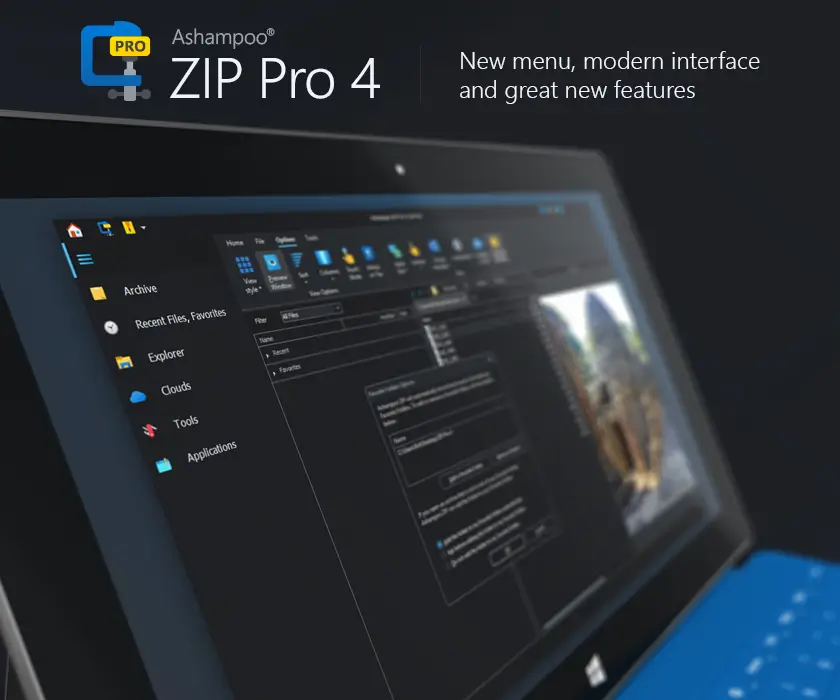
Ashampoo ZIP Pro 4 offers a wide range of features, including robust file compression, 256-bit encryption, and the ability to create zip scripts for automated tasks. The software supports various archive formats, including ISO, and provides comprehensive encryption options to secure sensitive data.
The inclusion of FTP functionality and cloud services integration enhances its utility as a complete file management solution. It is important to read Ashampoo ZIP Pro’s documentation to fully utilize its offerings.
Comparison with Previous Versions
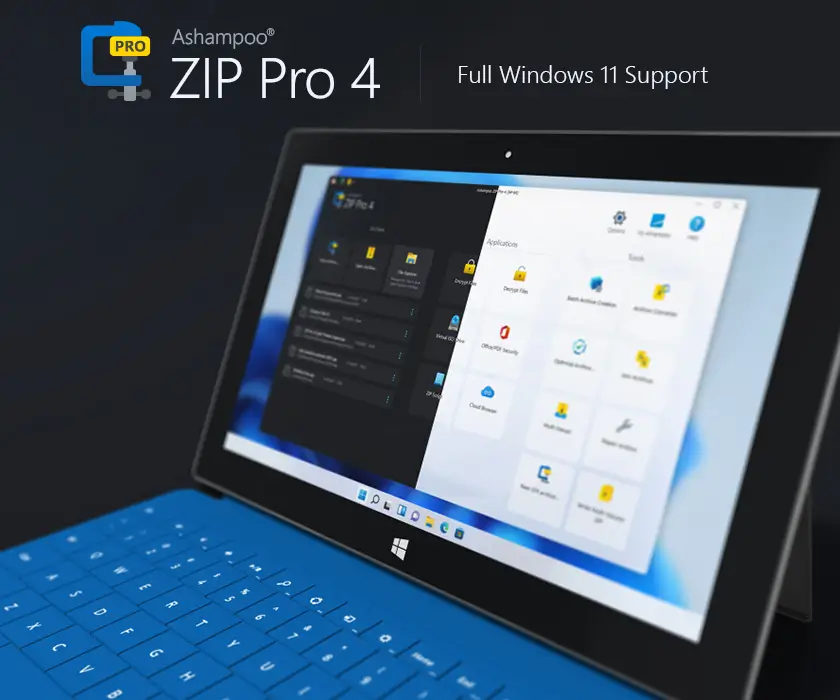
In comparing Ashampoo ZIP Pro 4 with its predecessors, significant improvements in compression speed and encryption options are evident. ZIP Pro 4 handles larger archive files more efficiently and offers enhanced integration with Windows 11.
The updated version also boasts a refined interface and better support for modern archive formats like ZIPX and 7-Zip, aiming to be the fastest ZIP application available. This part of the Ashampoo ZIP Pro 4 review highlights these critical advancements.
Compression Capabilities
File Compression Techniques
Ashampoo ZIP Pro 4 offers a variety of file compression techniques to optimize archive file sizes. These techniques include advanced algorithms for compressing zip files and other archive formats, enhancing storage efficiency.
The software also supports creating self-extracting archives, allowing recipients to extract files without needing additional software. Through these methods, Ashampoo ZIP Pro 4 ensures effective file compression for diverse needs.
Supported File Formats
One of the key aspects of the Ashampoo ZIP Pro 4 review is its extensive support for various archive formats. Besides standard formats like ZIP and RAR, the software handles ISO images, 7-Zip, ZIPX, and more.
This broad compatibility ensures users can manage nearly any type of archive file they encounter. Ashampoo ZIP Pro 4 offers a comprehensive solution for all file management needs, making it a versatile compression and encryption suite.
Performance Metrics
Performance is a critical factor in this Ashampoo ZIP Pro 4 review. The software’s compression speed and efficiency are evaluated using various performance metrics. Tests include measuring the time taken to compress and extract large archive files, as well as the resulting file compression ratios.
Ashampoo ZIP Pro 4 handles these tasks efficiently, aiming to be the fastest ZIP application, especially when creating zip scripts.
User Interface and Functionality
Design and Usability
The user interface of Ashampoo ZIP Pro 4 is designed for ease of use and efficient file management. Its integration with Windows Explorer allows for seamless interaction with zip files and other archive formats.
The intuitive design ensures that both novice and advanced users can easily navigate the software’s features. The file explorer integration enhances the overall functionality of the Ashampoo ZIP Pro.
Customization Options
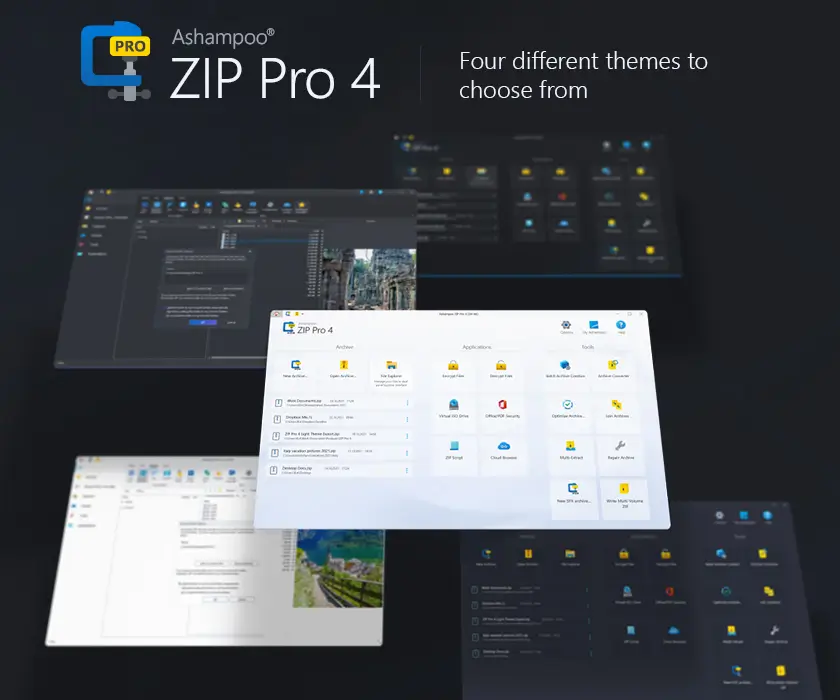
Ashampoo ZIP Pro 4 offers several customization options to tailor the software to individual preferences. Users can customize the interface, compression settings, and encryption options.
The ability to create custom zip scripts further enhances the functionality, allowing for automated backup and file management tasks. These customization features make Ashampoo ZIP Pro 4 a flexible and adaptable tool.
Accessibility Features
Ashampoo doesn’t publish a clear accessibility statement for ZIP Pro 4 (for example, confirmed screen reader support or specific accessibility standards). So it’s best to treat accessibility as something you should test on your own setup.
ZIP Pro 4 uses common Windows UI patterns like a ribbon interface and Explorer integration, which can feel familiar for navigation, but results can vary. If accessibility is a must, try it with your keyboard workflow and screen reader before buying.
Backup and Integration Features
Backup Solutions Offered
Ashampoo ZIP Pro 4 provides tools to protect your data, including creating automated zip scripts for backups. These scripts are useful to:
- Back up important archive files
- Back up directories
With its comprehensive file compression capabilities, Ashampoo ZIP Pro 4 provides a reliable means to secure your valuable data.
Integration with Other Software
The integration capabilities of Ashampoo ZIP Pro 4 extend to various other software applications, enhancing its functionality within a broader ecosystem. This includes notable integrations, such as:
- Seamless integration with Windows Explorer, allowing for effortless file management directly from the desktop.
- The inclusion of FTP client functionality, which facilitates easy transfer of archive files to remote servers.
This integration streamlines workflows and boosts productivity.
Cloud Storage Compatibility
Ashampoo ZIP Pro 4 offers compatibility with popular cloud services for convenient storage and sharing of compressed files. Specifically, it allows users to:
- Compress and upload zip files directly to cloud platforms.
- Utilize services like Dropbox and Google Drive.
This feature simplifies the process of archiving and sharing large archive files, providing a secure and efficient method for managing data in the cloud. Ashampoo ZIP Pro 4 handles this with great efficiency.
Is ZIP Pro 4 Worth It?
Pricing and Value Analysis
A critical aspect of any Ashampoo ZIP Pro 4 review is evaluating its pricing and value proposition. While Ashampoo ZIP Pro 4 is a commercial product, its extensive features, including advanced encryption options and support for various archive formats, justify the cost for users needing a comprehensive compression and encryption suite. Consider the long-term benefits of its robust features for efficient file management.
User Feedback and Reviews
User feedback and reviews offer valuable insights into the real-world performance and usability of Ashampoo ZIP Pro 4. Many users praise its intuitive interface and powerful file compression capabilities. However, some users have noted occasional performance issues with very large archive files.
Reading user testimonials can provide a balanced perspective to the Ashampoo ZIP Pro 4 review, helping potential buyers make informed decisions.
Best Free Alternatives to Consider
For users seeking alternatives, several best free options exist that offer basic compression and file management capabilities. 7-Zip remains a popular choice due to its open-source nature and support for a wide range of archive formats.
While these free alternatives may lack some of the advanced features of Ashampoo ZIP Pro 4, they can be sufficient for users with simple file compression needs. If one needs a fastest zip program, Ashampoo zip pro 4 might be the solution.
Conclusion: Should You Buy Ashampoo ZIP Pro 4 in 2026?
Ashampoo ZIP Pro 4 is a strong choice if you want a paid archiver that keeps daily compress/extract tasks simple, and adds encryption plus broader format handling in one place.
It makes the most sense for people who work with archives often and want Windows Explorer integration, backup scripting, and a smoother “all-in-one” workflow.
If your needs are basic, a free tool like 7-Zip may be enough. But if you value speed, convenience, and built-in extras, ZIP Pro 4 is worth considering in 2026.
Further Reading
Want to compare Ashampoo ZIP Pro 4 with other archivers (UI, speed, encryption)? Check out these helpful posts:
- 7-Zip Review
- 7z vs ZIP vs RAR
- WinZip Review
- Bandizip Review
- Ashampoo ZIP Free Review
- Best File Compression Software (2026 guide)
For more helpful guides, visit our Software & Apps category.
FAQs
What encryption does Ashampoo Zip Pro 4 support for protecting important data?
Q: What encryption does Ashampoo Zip Pro 4 support for protecting important data? A: Ashampoo Zip Pro 4 supports strong encryption options including 256-bit AES encryption and FIPS 140-2 256-bit AES encryption, so you can compress and encrypt files with a password to keep archives safe.
Can Zip Pro 4 create and extract multiple archive types like ZIP, CAB, and LHA?
Q: Can Zip Pro 4 create and extract multiple archive types like ZIP, CAB, and LHA? A: Yes, Zip Pro 4 supports many archive formats and can create and extract archives in formats including zip, cab, lha and others, offering support for over 60 archive types and different formats.
Is Ashampoo Zip Pro 4 easy to use and does it integrate with Windows Explorer?
Q: Is Ashampoo Zip Pro 4 easy to use and does it integrate with Windows Explorer? A: The ribbon-based, feature-packed interface is easy to use and integrates with Windows Explorer via a Windows Explorer context menu and a built-in file explorer for quick access to files and folders.
How does multi-core support improve compression performance in version 4?
Q: How does multi-core support improve compression performance in version 4? A: Thanks to full multi-core support, Zip Pro 4 stands out by speeding up compression and extraction tasks on modern hardware, making it faster when handling large or multiple archives.
Does Ashampoo Zip Pro 4 offer cloud and office integration for workflow?
Q: Does Ashampoo Zip Pro 4 offer cloud and office integration for workflow? A: Zip Pro 4 also supports integration with Microsoft Office and connects to multiple cloud services (e.g., Dropbox, Google Drive, OneDrive, Box, and more). so you can add folders to the archive or open documents without having to burn or move files manually.
Is there a free version and how does Ashampoo Zip Free support differ?
Q: Is there a free version and how does Ashampoo Zip Free support differ? A: There is a free version—Ashampoo Zip Free supports basic compression and extraction, while Zip Pro 4 features advanced tools and encryption like AES 256-bit for those needing stronger protection and more formats.
Does Ashampoo Zip Pro 4 fully support the new Windows 11 and 4K/touch displays?
Q: Does Ashampoo Zip Pro 4 fully support the new Windows 11 and 4K/touch displays? A: Yes, version 4 is fully compatible with Windows 11 and matches the new Windows look, offering crisp 4K/high-resolution visuals along with a split-pane view for easier file management.
Can I split archives, handle multiple archives and keep files accessible across operating systems?
Q: Can I split archives, handle multiple archives and keep files accessible across operating systems? A: Zip Pro 4 supports split archives and multiple archives, is compatible across operating systems, and provides tools to manage 60 archive types so your files and folders remain accessible in different formats.