Disclosure: We may earn a commission from links on this page. Learn more.
Best Antivirus That Doesn’t Slow Down Computer (2026): Top Picks for Speed

Best antivirus that doesn’t slow down your computer is a lightweight tool that keeps idle CPU low, runs quiet in the background, and lets you control full-scan timing. In 2026, the real problem is installing a heavy suite with extra modules you don’t need, then leaving default settings on and wondering why Windows feels laggy, games stutter, or the laptop fan never calms down.
A common mistake is judging antivirus only by “how many features” it has. More features often means more background services, more pop-ups, and more load at startup. This guide focuses on speed-first antivirus picks and the simple settings that keep your PC responsive while still giving you solid protection.
You’ll also see quick tips to test impact (startup time, idle CPU, scan scheduling) so you can pick a tool that matches your PC and your habits, not just a brand name.
Quick Speed Checklist Before You Install
- Check idle CPU after install (it should stay low when you’re not scanning)
- Turn off “scan at startup” if it makes boot slow
- Schedule full scans weekly, not daily
- Enable Silent Mode / Gaming Mode if you play games
- Avoid suites that bundle cleanup tools you won’t use
Best Antivirus That Doesn’t Slow Down Computer: Key Checks

Choosing the right antivirus means balancing protection and performance. A good solution should stop threats without constantly using CPU, disk, or memory in the background.
Lightweight antivirus software focuses on smart scanning instead of brute-force scanning. This means fewer slowdowns during browsing, gaming, or office work, especially on older laptops or systems with limited RAM.
Importance of Lightweight Antivirus Protection
Lightweight antivirus protection matters because most users don’t notice scans, they notice slowdowns. Tools that stay quiet at idle let you work normally and only use extra resources when there’s real risk.
Modern antivirus solutions rely more on behavior monitoring and cloud checks instead of constant full scans, which helps keep systems fast.
Evaluating Performance Impact on System Resources
When testing antivirus performance, pay attention to:
- CPU usage when the system is idle
- RAM usage during background protection
- Disk usage during scans and updates
A fast antivirus should feel almost invisible during everyday use.
Key Features for High-Speed Virus Protection
Look for features like:
- Real-time protection with low idle impact
- Cloud-based threat detection
- Scan scheduling and scan throttling
- Silent or gaming mode
These features help maintain speed while keeping security active.
Balancing Security and System Speed
Too many always-on modules can slow any PC. VPNs, backup sync, browser extensions, and cleanup tools all add background load. The best balance comes from enabling only what you actually use and scheduling heavy scans for idle times.
Does Antivirus Slow Down Your Computer?
Yes, antivirus software can slow down your computer, especially during full scans, large downloads, or when every file is checked in real time. Older PCs with slower storage or limited RAM feel this impact more clearly.
In most cases, slowdown is caused by settings, not the antivirus itself. Adjusting scan schedules, reducing background notifications, and avoiding multiple security tools running together usually fixes the issue.
Lightweight Virus Scanners That Don’t Slow Down PCs
A lightweight antivirus stays quiet when you’re not scanning. It uses minimal CPU and memory at idle and increases usage only when actively checking files or behavior.
To keep your PC fast, avoid antivirus suites that add unnecessary extras like system boosters, constant browser monitoring, or aggressive background scans. Fewer modules usually mean better performance.
Best Antivirus That Runs Quietly in the Background
Look for antivirus software with Silent Mode or Gaming Mode. These modes pause pop-ups, delay scans, and reduce background activity while you’re working, gaming, or watching videos.
Also check if scan intensity can be limited and full scans can run only when the system is idle. This single setting often makes the biggest difference.
Which Antivirus Slows Down a Computer the Most?
The antivirus that slows down a computer the most is usually the one running the highest number of background services at the same time. Always-on VPNs, backup sync, browser toolbars, cleanup tools, and frequent full scans all add load.
Instead of focusing on brand names, focus on setup. Disable scan-at-boot, schedule full scans weekly, enable silent mode, and never run two antivirus tools together.
How We Picked Speed-First Antivirus Tools
We selected antivirus solutions known for low idle CPU usage, minimal background slowdown, and strong protection during real-world use. Priority was given to tools that offer scan scheduling, silent or gaming mode, and effective security without pushing unnecessary background features.
Top Performance Antivirus Software for 2026
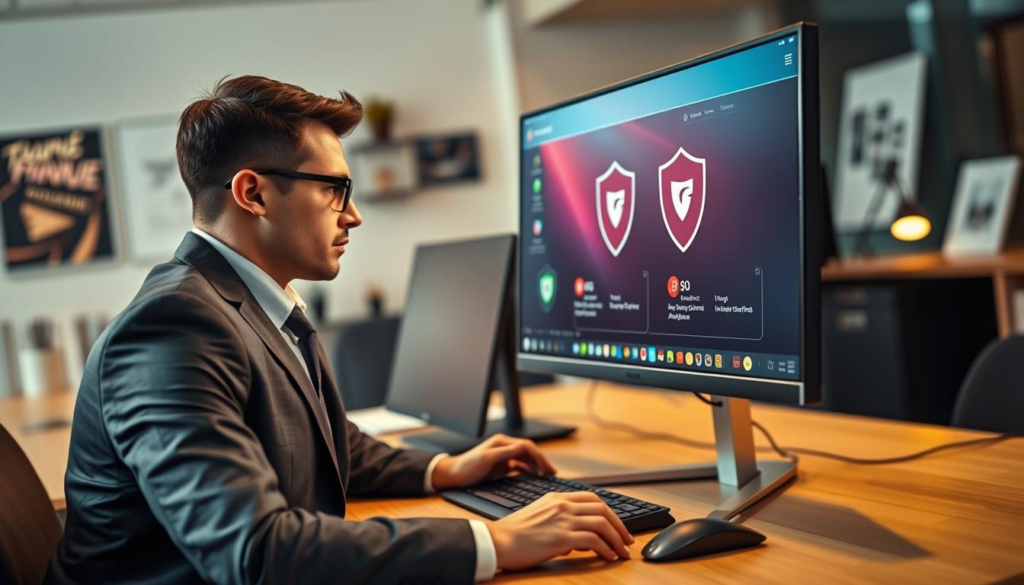
The antivirus tools below are known for solid protection with minimal impact on everyday system performance.
Bitdefender Total Security: The All-Around Champion
Bitdefender Total Security is a top pick for those who want strong protection without slowing down their system. It has many features like a VPN, file encryption, and strong anti-malware tools. It runs quietly in the background, making it a great choice for those who value speed.
Norton 360: Family-Friendly Security without the Lag
Norton 360 is great for families. It has advanced protection features and tools for online privacy and identity theft. Its user-friendly interface makes it easy for everyone to use, whether you’re tech-savvy or not.
McAfee+: Ideal for Mobile Security and Fast Performance
McAfee+ is perfect for mobile security and PC protection. It’s known for being light on system resources. This makes it a top choice for those who want fast and effective protection without slowing down their devices.
F-Secure Total: Best for Wi-Fi Security with Minimal Impact
F-Secure Total focuses on Wi-Fi security. It’s designed to work fast without using up too many system resources. It’s ideal for those who want strong security without sacrificing speed.
Malwarebytes Premium: Effective Malware Removal and Speed
Malwarebytes Premium is known for its quick malware removal. It works fast to get rid of threats and restore your system’s speed. It’s a top choice for keeping your computer fast and secure.
| Antivirus Software | Key Features | Performance Impact |
|---|---|---|
| Bitdefender Total Security | VPN, file encryption, strong anti-malware | Minimal impact on system resources |
| Norton 360 | Identity theft protection, online privacy | Low lag during operation |
| McAfee+ | Mobile security, comprehensive suite | Fast and efficient across devices |
| F-Secure Total | Wi-Fi security, user-friendly interface | Negligible impact on speed |
| Malwarebytes Premium | Malware removal, restoration of speed | Quick and effective performance |
Conclusion
Finding an antivirus that doesn’t slow down your computer is about choosing smart protection, not the biggest feature list. Lightweight tools with proper settings can keep your system secure without hurting performance.
Bitdefender Total Security, Norton 360, McAfee+, F-Secure Total, and Malwarebytes Premium all offer strong protection when configured correctly. The key is using scan scheduling, silent mode, and avoiding unnecessary extras.
With the right setup, you can stay protected in 2026 without sacrificing speed, responsiveness, or daily productivity.
If you’re in Pakistan and want official activation with local payment options, explore Antivirus & Malware Software in Pakistan on BreTech.
FAQs
Q: What makes an antivirus program lightweight?
A: A lightweight antivirus uses minimal CPU and memory at idle and relies on smart scanning instead of constant full scans.
Q: How do I know if an antivirus slows down my computer?
A: Check boot time, idle CPU usage, and system responsiveness before and after installation. Large changes usually indicate heavy background activity.
Q: Is antivirus slow during gaming?
A: It can be if scans or notifications run while gaming. Enabling Gaming Mode or Silent Mode usually fixes this.
Q: Are paid antivirus tools faster than free ones?
A: Paid tools often offer better performance controls, fewer ads, and more efficient background protection.
Q: Should I use more than one antivirus?
A: No. Running multiple antivirus tools together often causes conflicts and slows down your system.
Further reading
If you’re choosing protection that stays fast and lightweight, compare these next:
- IObit Malware Fighter vs Windows Defender Antivirus
- IObit Malware Fighter Review
- IObit Malware Fighter vs Malwarebytes
- How to Optimize Your Windows 11 PC
- Online Dating Safety Checklist (2026)
Want more app guides and security help? Explore Software & Apps and then check our Security posts for antivirus and privacy basics.