Disclosure: We may earn a commission from links on this page. Learn more.
InVideo AI Review 2026: Pricing, Free Plan, AI Video Generator & Is It Worth It?
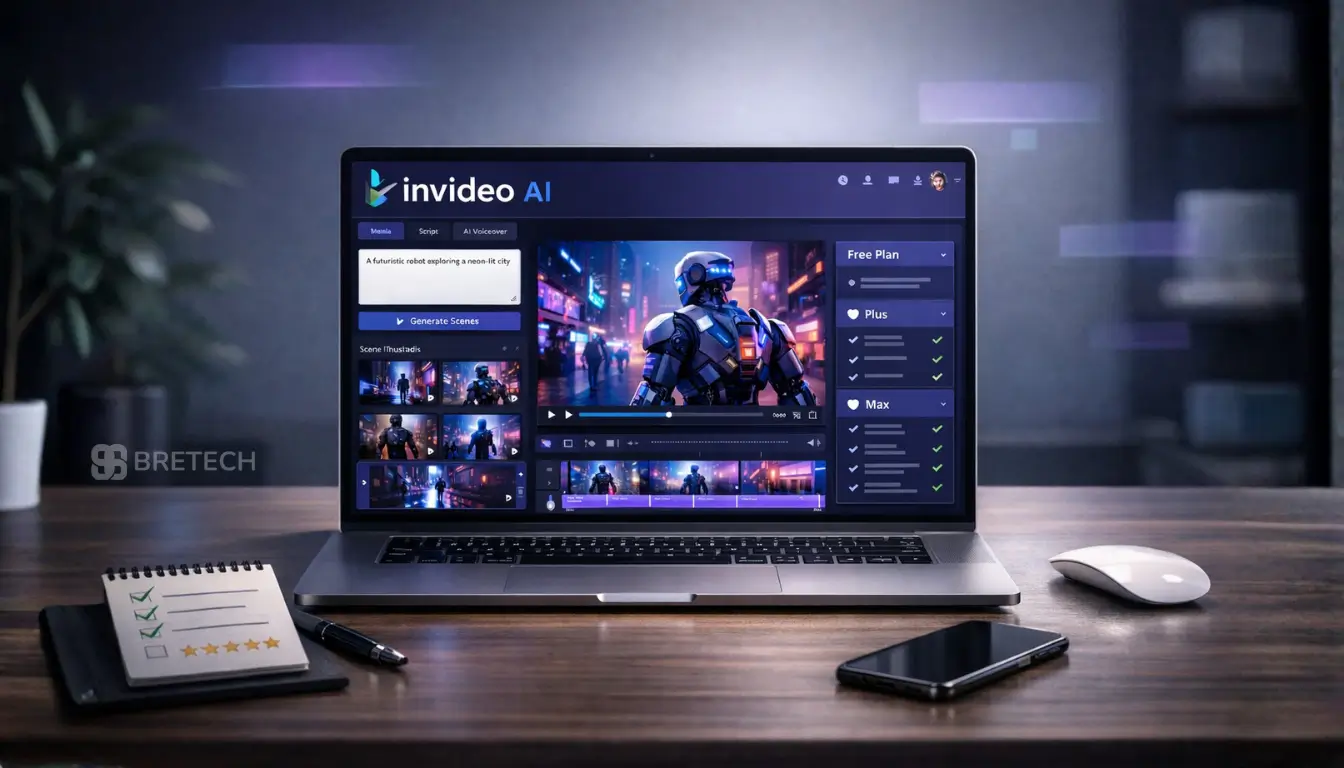
InVideo AI review 2026 starts with one simple question: is this AI video generator actually worth paying for, or do the credits, watermarks, and plan limits make it harder to use than it first appears?
Many content creators try InVideo AI because they want faster video creation for YouTube, Shorts, and social media. But once they start, they often realise the real issue is not whether the tool works, but whether the free plan, paid plan, and workflow fit their content needs.
This guide breaks down InVideo AI pricing, free plan limits, ease of use, core features, and whether it is worth it for creators who want speed without getting stuck in complex editing software.
Quick Answer: InVideo AI is a beginner-friendly AI video generator that can help content creators generate videos faster than traditional editing software.
The free plan is real, but it is limited to 2 video-generation minutes and 4 exports per week, and videos exported on the free plan include the InVideo logo and stock media watermarks. Paid plans remove the watermark, add monthly credits, and make much more sense for users who want regular publishing.
Want to try InVideo AI yourself? Explore InVideo AI here and see whether the workflow fits your content needs.
What Is InVideo AI and How It Works
InVideo AI is a prompt-first AI video generator. Instead of building every project manually on a timeline, you enter a topic, script, or idea, choose a workflow, and let the platform create a first draft.
You can then refine scenes, adjust the script, edit media, and export the final result. For many users, that makes it easier than starting from scratch in traditional video editing software.
If you want to create a type of video quickly, the platform can make it easy to move from prompt to draft without a long learning curve. This is one reason content creators and beginners often look at InVideo first.
In simple terms, InVideo’s workflow is built to:
- Take a prompt or AI script
- Generate a video draft
- Let you refine the output
- Help you publish faster than complex editing software
If you want to compare more tools in this space, see our Best AI Video Generators guide for a broader look at current options.
If you want to see how the AI video generator works in practice, you can explore InVideo AI here.
Key AI Features, Templates, and Video Generation Workflow
InVideo AI offers a useful range of features for users who want fast, guided creation rather than full manual production.
AI Prompt-to-Video Workflow
The biggest selling point is that you can start with text and let the platform generate a video draft for you. This is useful for content creators who want fast drafts for YouTube, Shorts, ads, and social media videos.
Templates and Guided Creation
InVideo AI uses structured workflows and templates to help users move faster. If you do not want to build every project by hand, this kind of guided setup can save time and reduce friction.
AI Script Generator and Script-Based Creation
For users who do not already have polished copy, an AI script generator style workflow is part of the appeal. It helps beginners and busy creators get from idea to draft faster.
AI Voiceover, Voiceovers, and AI Voices
InVideo supports cloned voice workflows and voice-based creation features. That is useful for faceless channels, short explainers, and content creators who want more consistent narration without recording every project manually.
AI Avatars and AI Twins
InVideo also supports AI avatars and AI twins. These features can help with explainer video work, business content, and talking-presenter style projects.
Basic, Pro, and Ultra Generation
InVideo currently offers Basic, Pro, and Ultra generation options. Basic is stock-media based, while Pro and Ultra are more generative.
The practical point is important: higher-end generation uses credits much faster, so your monthly plan value depends heavily on which mode you use most often.
Simple Editing After Generation
After the first draft is created, you can still edit videos using InVideo’s built-in controls. That is useful for users who want a simpler workflow than traditional video editing tools but still need some control over the final video output.
InVideo AI Pricing 2026 (Free Plan vs Paid Plan)
InVideo AI now uses a credit-based subscription system. For individual users, the current paid plans are Plus, Max, and Generative. InVideo also offers Team and Enterprise plans for organisations.
Free Plan First
Yes, you can use InVideo AI for free without entering card details. The free plan currently includes:
- Limited access to AI models
- 2 Video-generation minutes per week
- 4 Exports per week
- 1 Express clone
- 10 GB storage
- Exports with the InVideo logo
- Stock-media watermarks on exported videos
This quota resets weekly on Monday at 12 a.m. UTC. That makes the free plan fine for testing, but weak for serious production.
Paid Plan Structure
Paid plans are much more practical if you want regular publishing. The plan breakdown commonly shown is:
- Plus: 100 credits
- Max: 400 credits
- Generative: 1,000 credits
Paid plans also include unlimited no-watermark exports, which is one of the biggest differences between free and paid use.
What Paid Plans Actually Change
A paid plan does not mean unlimited AI generation. It means:
- Watermark-free exports
- Monthly credit allocation
- More room for regular creation
- Better fit for content creators who publish often
If you use Pro or Ultra often, credits can disappear quickly, so the best paid plan depends on your actual workflow, not just the plan name.
Monthly Reset and No Rollover
Credits reset monthly on your renewal date, and unused credits do not roll over. That matters a lot for users who publish irregularly.
Real Pricing Advice
The smartest way to judge value is to check:
- How often you want to create
- Whether you mostly use Basic or generative workflows
- Whether you need watermark-free exports
- Whether you publish often enough to use your monthly credits before reset
That is the real answer to whether InVideo AI is worth paying for.
You can check the latest InVideo AI pricing and plan details here before choosing a paid plan.
InVideo AI Free Plan Limits
The free plan is where expectations and reality often differ. Yes, the free plan works, but it is designed more for testing than long-term production.
2 Video Minutes and 4 Exports Per Week
The free plan currently gives 2 video-generation minutes and 4 exports every week. That is enough to try the workflow, but not enough for heavy publishing.
Watermark and Logo on Exports
All videos created and exported on the free plan include the InVideo watermark, and stock-media watermarks can also appear on free-plan exports.
Limited Access to AI Models
The free plan includes only limited access to AI models. That means the experience is real, but restricted.
Free Plan Still Works for Testing
The free plan is still useful if you want to:
- Test the workflow
- See whether the output is good enough
- Check the ease of use
- Create a first video
- Decide whether you want to pay later
The best way to think about it is simple: free access is a trial-style entry point, not a strong setup for full production.
InVideo Review for Content Creators: Ease of Use and Workflow
One reason InVideo AI stands out is ease of use. The platform is built for users who want to create a video quickly without fighting with complex editing software.
For many creators, the workflow feels like this:
- Enter a prompt, text, or AI script
- Let the platform create a draft
- Refine the output
- Edit videos using simple controls
- Export and publish
That makes InVideo AI attractive for content creators who want fast output for YouTube, Shorts, explainer video work, and social media videos.
The trade-off is that InVideo AI is built more for guided creation than for deep frame-by-frame control. So while it can make video creation easier, it may feel limiting to advanced editors who are used to stronger manual tools.
InVideo AI Pros and Cons (Honest Review)
Like most AI tools, InVideo AI has clear strengths and clear limits.
Pros
- Beginner-friendly workflow
- Easier than many traditional editors for first-time users
- Useful for content creators who want quick drafts
- Supports AI voiceover, cloned voices, and AI avatars
- Paid plans include unlimited no-watermark exports
- Works well for YouTube, social media videos, and video marketing
- Can help users generate a full video from a prompt-based workflow
Cons
- Free plan is very limited
- Credits do not roll over
- Paid value depends heavily on your generation mode
- Pro and Ultra usage can consume credits quickly
- Less ideal for users who want full production control
- Not the best fit for every advanced editor
Honest Take
My honest review is that InVideo AI works best for users who value speed, simplicity, and guided creation. It is not the best choice for everyone, but it does solve a real problem for creators who want to make videos faster without getting buried in complex video editing tools.
InVideo vs CapCut vs Canva
Choosing between InVideo, CapCut, and Canva depends on your workflow.
| Feature | InVideo AI | CapCut | Canva |
|---|---|---|---|
| Main focus | AI-first video generation | Manual editing flexibility | Design plus simple video |
| Best for | Fast drafts and guided workflow | Users who want more editing control | Users mixing design and video |
| Good for | Content creators, Shorts, explainers | More hands-on editing | Brand visuals and social content |
InVideo AI vs CapCut
InVideo AI is better if you want the platform to build the first draft for you. CapCut is better if you want more manual control and a stronger editing workflow.
InVideo AI vs Canva
Canva is the better choice if your work mixes design, presentations, and simple video. InVideo is better if your main focus is AI-led video creation.
Use Cases: Who Should Use InVideo AI
InVideo AI fits several clear use cases, especially for users who want fast results without spending hours inside traditional editing software. It works best when speed, convenience, and guided creation matter more than deep manual control.
Good for Content Creators
It is a practical option for content creators who want fast video generation for YouTube, Shorts, social media videos, and basic marketing content. If you publish often and need a tool that helps you move from idea to draft quickly, InVideo AI can save time.
This is especially useful for creators who want to keep up with regular posting without building every video from scratch.
Creators building a wider workflow may also want to explore these AI Automation Tools for Content Creators in 2026.
Good for Explainer Video and Video Marketing Work
If your goal is to create an explainer video, promo clip, product video, or business-facing content without full manual production, InVideo AI can be a strong fit. Its workflow is built to help users create useful videos faster, which makes it appealing for simple business communication and video marketing tasks.
For small teams, freelancers, or solo creators, that speed can be more valuable than advanced editing depth.
Good for Beginners
If you have little editing experience, InVideo AI can make it easier to create a first publishable draft without learning a complex editor. The prompt-based workflow lowers the learning curve, so beginners can focus more on the message and less on technical editing steps.
That makes it a sensible starting point for users who want to create videos but do not feel comfortable with traditional video editing tools yet.
Less Ideal for Advanced Editors
If you already know how to edit at a high level and want precise control over timing, transitions, effects, and scene-building, a traditional editor may suit you better. InVideo AI is useful for speed, but it may feel too limited for creators who prefer full production control and detailed hands-on editing.
Best InVideo AI Alternatives
The best alternatives to InVideo depend on what you want to improve. Some users want more manual editing control, while others want stronger design features, better script-based workflows, or a different approach to AI video generation.
If InVideo AI feels too guided or too limited for your style, there are several alternatives to InVideo AI worth considering.
For another AI-focused tool in a similar category, read our Vidnoz AI Review.
CapCut
CapCut is a strong option for users who want more hands-on editing freedom and better manual control over the final result. It suits creators who like working directly on a timeline, adjusting transitions, effects, captions, and pacing more precisely.
It is often a better fit than InVideo AI if you want stronger editing flexibility instead of a prompt-first workflow.
Canva
Canva is a better fit for users who need design, branding, presentations, and simple video in one place. It works well for social posts, promo graphics, business visuals, and short videos where layout and brand consistency matter as much as the video itself.
If your workflow includes both design and video, Canva can feel more practical than using a tool that focuses mainly on AI video creation.
VEED
VEED is useful for browser-based editing with a middle ground between convenience and manual control. It gives you a more direct editing experience than InVideo AI, while still keeping things simple enough for creators who do not want heavy desktop software.
It can be a good choice for users who want subtitles, online editing, and faster changes without moving into a more complex editing software setup.
Descript
Descript is a good option for users working heavily with spoken content, tutorials, podcasts, interviews, and text-led editing. Its biggest advantage is that it lets you work with audio and video in a way that feels closer to editing a document.
That makes it useful for creators who produce training videos, commentary content, or podcast-style projects and want a different workflow from a standard video editor.
Pictory
Pictory is helpful for script-based creation and article-to-video workflows. It is a sensible option for users who regularly turn blog posts, written scripts, or educational content into short videos.
If your main goal is to repurpose text into video quickly, Pictory may feel closer to your needs than a broader AI video generator.
In short, alternatives to InVideo AI may be better if you want more manual editing tools, a different workflow, stronger design support, or a more text-focused way to create videos. The right choice depends on whether your priority is speed, control, branding, or script-based production.
If you are also comparing broader video tools and converter-style options, see our HitPaw Video Converter Reviews.
Is InVideo AI Actually Worth It in 2026 for Content Creators?
Yes, InVideo AI can be worth it in 2026, but only for the right user.
It is worth it if you:
- Want a guided AI workflow
- Publish regularly
- Care more about speed than deep editing control
- Understand how credits shape your monthly usage
- Want to create videos faster for YouTube, social media, or video marketing
It is less worth it if you:
- Expect unlimited AI generation from a normal paid plan
- Need strong manual editing freedom
- Publish too irregularly to use your monthly credits before they reset
- Prefer a more traditional video editing software workflow
The simple answer is this: whether InVideo AI is worth it depends on your workflow. If your priority is speed and guided creation, it can be a very practical tool. If your priority is maximum control, it may not be the best choice.
If InVideo AI looks like the right fit, you can view the current plans and features here before deciding.
If you are still comparing options, you can also browse our Best Video Editing Software Deals for more tools in this space.
Final Verdict
InVideo AI is a solid video creator for beginners, marketers, and content creators who want to move from idea to draft quickly. Its strongest points are ease of use, guided workflows, AI avatars, voiceovers, and paid watermark-free exports. Its biggest weakness is that serious use now depends heavily on credits, and unused credits are forfeited each cycle.
The final verdict is simple: InVideo AI offers a useful workflow for users who want to create videos quickly and avoid complex editing software. It is especially good for YouTube videos, social media videos, explainer video work, and basic video marketing. But users who want full production control or a classic editor experience may prefer tools like CapCut or other alternatives to InVideo AI.
Ready to test InVideo AI? See the latest InVideo AI options here and decide whether it suits your workflow.
FAQs
Q: Is InVideo AI worth it for YouTube creators?
A: InVideo AI is worth it for many YouTube creators who want to turn ideas, scripts, or prompts into videos faster. It works best for creators who want quick drafts, simple workflows, and less time spent inside complex editing software.
Q: Is InVideo AI worth it for Shorts and short-form content?
A: Yes, InVideo AI can be a strong fit for short videos, especially Shorts, Reels, and other fast social content. Because the platform focuses on video creation speed, it can help creators publish more often without building every scene manually.
Q: How does video creation work when using InVideo AI?
A: The process usually starts with a prompt, topic, or script. Then InVideo’s AI video generator builds a draft, the video is generated with scenes and media, and you can refine the result before export. This makes video using InVideo easier for beginners and busy creators.
Q: Can beginners make a good video using InVideo?
A: Yes. One of the biggest strengths of InVideo AI is that it lowers the learning curve for users who want to create a video without a difficult video editing experience. It is designed to help beginners move from idea to publishable draft more easily.
Q: What type of creators get the most value from InVideo AI?
A: InVideo AI works best for creators who want speed, guided workflows, and simple video production. It is especially useful for YouTube creators, social media marketers, freelancers, and small businesses that need regular content without full manual production.
Q: Does InVideo AI support AI voiceovers and advanced AI features?
A: Yes, InVideo offers AI voice tools, including AI voiceovers, along with other guided creation features. Depending on the plan and workflow, users can also access more advanced AI features for faster and more flexible video production.
Q: Is InVideo AI good for full video production?
A: It can work well for light to mid-level video production, especially for explainers, promos, Shorts, and social media content. However, InVideo AI isn’t always the best fit for advanced editors who want full control over every scene, effect, and timing detail.
Q: What makes InVideo different from tools like InVideo AI competitors?
A: Compared with tools like InVideo or tools like InVideo AI, InVideo AI focuses on video creation through prompts and guided workflows rather than heavy manual editing. That makes it useful for users who care more about speed and convenience than deep editor-style control.
Q: Can InVideo create videos in minutes?
A: In many cases, yes. For simple projects, drafts can be created as videos in minutes, especially when you already know your topic, script, or content angle. The actual speed depends on the workflow, edits, and generation mode you choose.
Q: Who should avoid InVideo AI?
A: Users who want a highly detailed, hands-on editing process may prefer a more traditional editor. InVideo AI works best for multiple use cases where speed matters, but it may feel limited if your workflow depends on full manual control and deep custom editing.
Further Reading
- Best AI Video Generators
- Vidnoz AI Review
- AI Automation Tools for Content Creators 2026
- Best Video Editing Software Deals
- HitPaw Video Converter Reviews
Want more tools like this? Explore our AI Tools & Automation guides or read more software reviews in our Reviews section.