Disclosure: We may earn a commission from links on this page. Learn more.
IObit Advanced SystemCare Review 2026: Still the Best PC Cleaner?
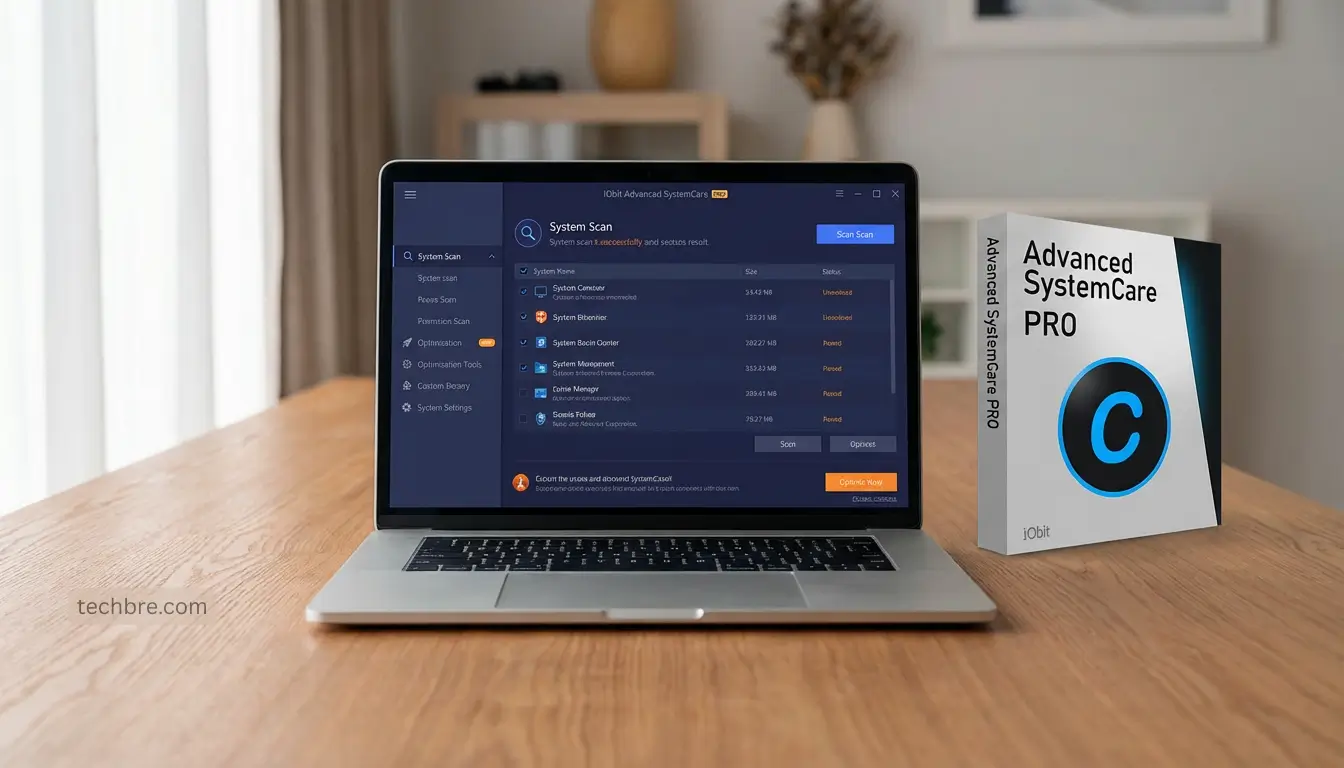
IObit Advanced SystemCare is a popular PC cleaner because it promises a faster Windows PC with one-click cleanup, startup control, and “performance” tweaks. The problem is that many PC cleaners also overdo it, show too many prompts, or change settings you didn’t mean to touch, which can create new issues instead of fixing old ones.
A common mistake is running every scan and optimization option on default, then blaming Windows when something breaks, a browser setting changes, or the PC feels unstable. In this 2026 review, I’ll walk through what Advanced SystemCare does well, where it can be risky, and which features are actually worth using.
You’ll also get simple checks to judge real results, like startup time, background usage, and whether cleanup tools remove junk safely without touching important files. If you want a cleaner, smoother PC without unwanted surprises, this review will help you decide.
Key Takeaways
- Advanced SystemCare is best for quick cleanup and basic tune-ups, but avoid running every “fix” blindly.
- One-click tune-ups are safer when you review what will change first, especially for browser and privacy settings.
- Startup control is one of the most useful features if your PC boots slowly or feels heavy after signing in.
- Registry cleaning is optional and rarely needed, so use it carefully or skip it.
- Scan scheduling helps you keep performance steady without scans interrupting work or gaming.
- Best fit is people who want simple maintenance, not deep manual control.
Get the Right PC Optimizer (Secure Checkout)
Choose the style that matches how you like to maintain Windows:
- Prefer a calm toolbox with manual control:
Get Glary Utilities Pro (1-Year) - Prefer guided automation and “scan and fix” simplicity:
Get Advanced SystemCare Pro (1-Year)
If you manage multiple PCs or do PC repair work, Glary also has these options:
Optional (only if you want to link CouponBre here):
Disclosure: TechBre may earn a commission if you buy through these links (at no extra cost to you).
Introduction to IObit Advanced SystemCare
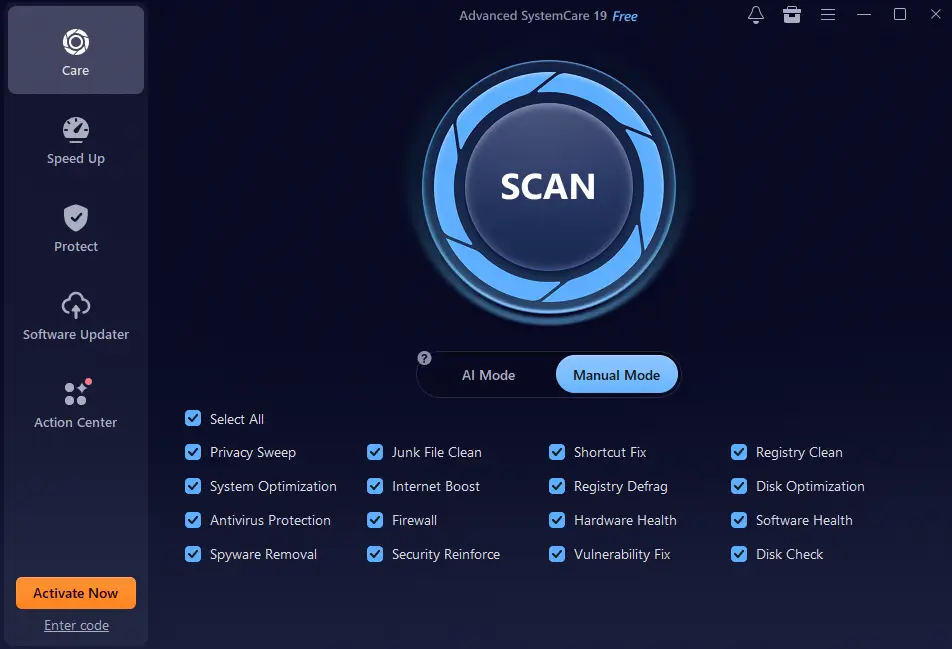
IObit Advanced SystemCare is a great tool for making your computer run better. It has features like disk cleanup, system optimization, and privacy protection. It’s easy to use, whether you’re new to computers or have been using them for years.
This software helps get rid of digital clutter that slows down your system. It makes your computer faster and more efficient. Many people choose it because it does everything they need to keep their system in top shape.
Key Features of IObit Advanced SystemCare
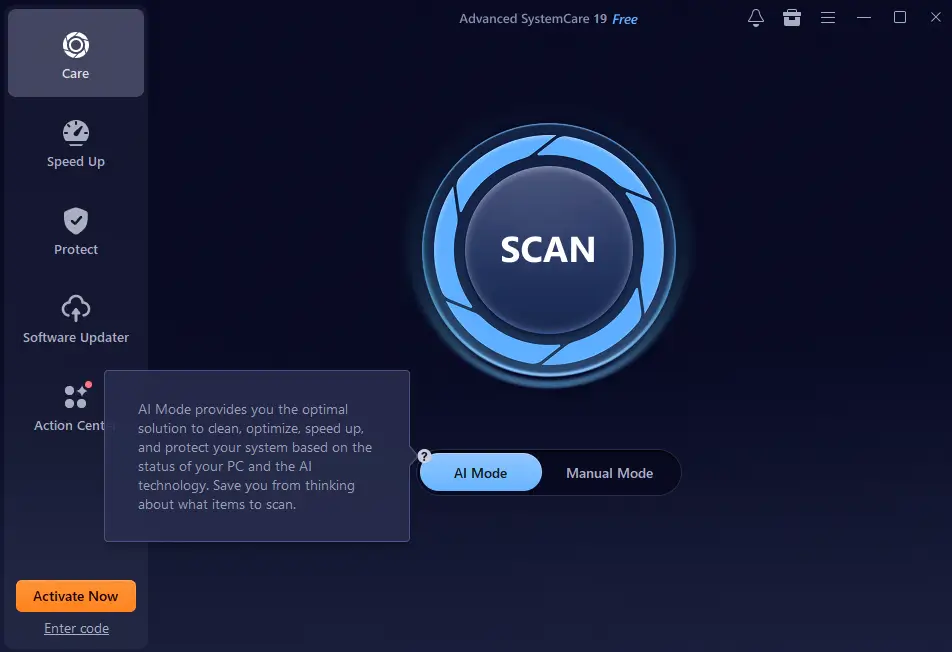
IObit Advanced SystemCare has a standout feature: an AI-powered system scan. This scan is key to making your computer run better. It finds and fixes problems that slow down your PC.
It looks for junk files, unwanted apps, and tweaks settings. This lets you enjoy a quicker, smoother experience with little effort from you.
The registry cleaner is another important part. It cleans up bad registry entries. This makes your system run smoother and prevents errors.
Its real-time protection and privacy tools keep an eye on system changes and suspicious activity, helping to catch issues before they cause harm. With these features, IObit Advanced SystemCare is a top choice for keeping your PC in great shape.
User Experience and Interface
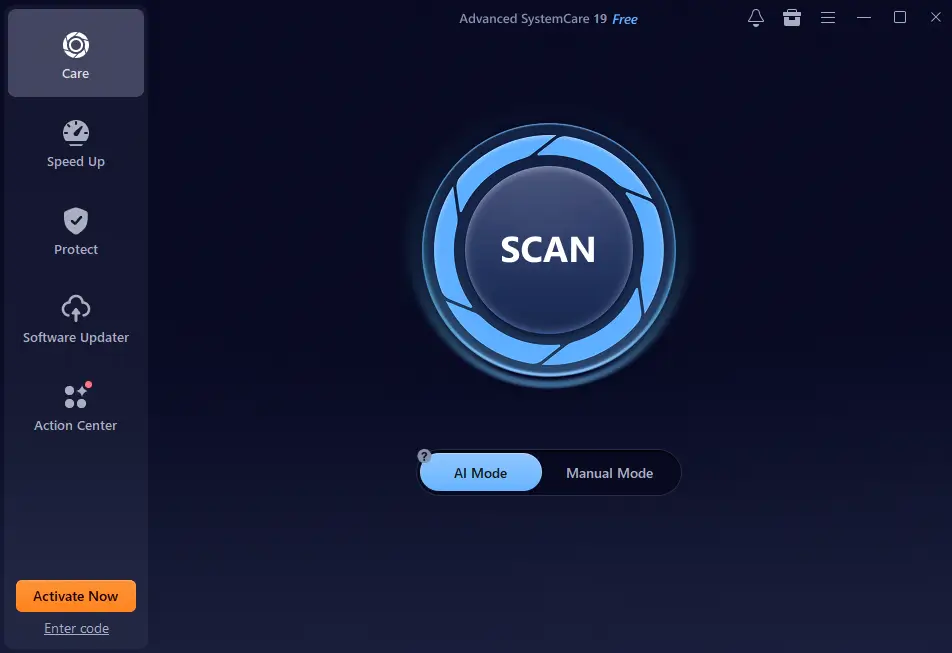
The IObit interface is clean and easy to use. It’s perfect for people with different levels of tech skills. You can start scans and see results without any trouble.
When you open the app, you see a nice dashboard. It shows important features clearly. This makes it easy to find what you need, whether it’s improving performance or cleaning up your system.
Customization options make it even better. You can change the interface to fit your needs. This makes using your PC more efficient and enjoyable.
IObit Advanced SystemCare Review: How It Compares to Competitors
IObit Advanced SystemCare is a standout in the PC cleaner market. When comparing it to CCleaner and TotalAV, you’ll see its unique features. It has a broader range of tools than its competitors.
The program’s user-friendly interface is a big plus. It’s easier to use than many other cleaners. This makes it great for those who aren’t tech experts. It combines cleaning, optimization, and security in one place, unlike others that focus on one thing.
When it comes to value, Advanced SystemCare is worth the cost. It may have a subscription fee, but its wide range of features makes it worth it. While others might be cheaper, they often can’t match IObit’s all-in-one care. This gives users a better experience and peace of mind.
Performance and Effectiveness
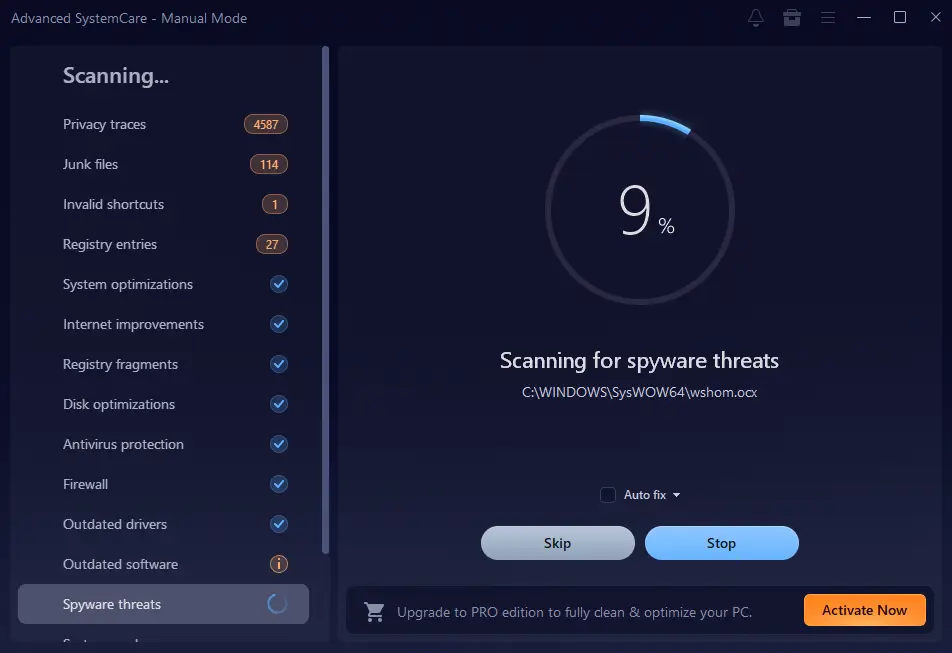
IObit has made computers run better, thanks to its cleaning and optimization. People see big improvements in speed after using it. It gets rid of unwanted files and tweaks settings for better performance.
This means your computer boots up quicker. You can get to your work or play faster, making your experience smoother.
Many users share their positive experiences. They say apps run smoother, even on older computers. Using IObit Advanced SystemCare really makes a difference in how your computer works every day.
Using IObit Advanced SystemCare also keeps your system healthy over time. It updates drivers and optimizes the registry. This keeps your computer running well without sudden slowdowns.
Pros and Cons of Using IObit Advanced SystemCare
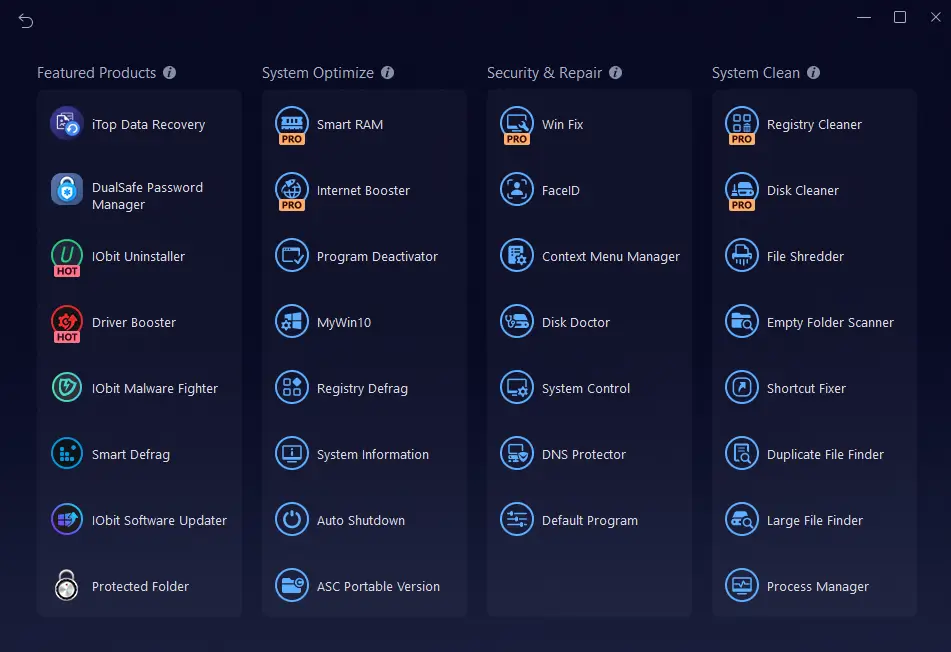
Understanding the benefits and drawbacks of IObit Advanced SystemCare is key. It comes with a wide range of features to boost your PC’s performance. Its user-friendly interface is a big plus, making it easy for everyone to use.
One of the downsides is the constant push to upgrade to the premium version. Some users find these prompts annoying. This might make you think twice about paying for the full version.
Looking at how people use it, the software does well in many areas. Yet, your experience can change based on your PC and what you like. Weighing the good against the bad will help you decide if IObit Advanced SystemCare is right for you.
Conclusion
IObit Advanced SystemCare remains a top choice for PC optimization in 2026. It combines a user-friendly design with powerful features. This makes it a great tool for keeping your system in top shape.
Thinking about PC cleaning tools? IObit stands out for its mix of performance and ease of use. It’s perfect for those who want to fix system slowdowns and clean up clutter easily.
So, is IObit Advanced SystemCare worth it? Yes, it is. It helps keep your system running smoothly. This ensures you get the best performance from your device.
Further Reading
- Glary Utilities Pro vs Advanced SystemCare
- Glary Utilities Review 2026
- Free Optimization Software: 13 Free PC Optimizers (2026 Guide)
- Is 7-Zip Safe?
- Is WinRAR Safe to Use?
FAQs
Q: What is IObit Advanced SystemCare?
A: IObit Advanced SystemCare is a tool for PC optimization. It cleans disks, optimizes systems, and protects privacy. It helps make your computer run better.
Q: How does the AI-powered system scan work?
A: The AI scan finds and fixes system problems. It spots junk files and apps you don’t need. It also tweaks settings for you, making it easy to use.
Q: Is IObit Advanced SystemCare user-friendly?
A: Yes, it has a simple and easy-to-use interface. It’s designed for everyone, whether you’re tech-savvy or not.
Q: How does IObit Advanced SystemCare compare to other PC cleaners?
A: IObit Advanced SystemCare is different from CCleaner and TotalAV. It does more than just clean. It also optimizes and secures your system in one go.
Q: Will using IObit Advanced SystemCare improve my computer’s performance?
A: Yes, many people have seen their computers run faster. They notice quicker boot times and smoother apps.
Q: Are there any downsides to IObit Advanced SystemCare?
A: Some might find the upgrade prompts annoying. But, the benefits usually make up for it.
Q: Is IObit Advanced SystemCare suitable for all users?
A: Yes, it’s for everyone. It’s easy to use but also powerful for keeping your system in top shape.