Best SEO software for Mac 2026 might sound like something only grown-up marketers use, but even tech-savvy 7th and 8th graders can understand it. If you’re curious about how websites become popular on the internet, you’re about to dive into the world of Search Engine Optimization (SEO).
In this guide, you’ll discover some beginner-friendly tools that make SEO less scary and more fun. Don’t worry if that sounds complicated – we’ll break everything into bite-sized pieces that are easy to follow. Let’s get started!
What is SEO and Why Should You Care?
Before we jump into the best SEO software for Mac 2026, let’s talk about what SEO actually means. SEO stands for Search Engine Optimization. It’s like a secret recipe that helps websites show up at the top of search results when you look for something on Google or other search engines.
Imagine you’re playing hide and seek. SEO is like giving the seeker (in this case, search engines) a map to find you easily. The better your map (or SEO), the quicker you’ll be found.
In one simple sentence: SEO is how websites explain themselves to search engines and even AI helpers, so they know when to show those pages to the right people.
Why should you care? In today’s digital world, understanding SEO can give you a real advantage. It can help you:
- Make your own website or blog more popular
- Understand how big companies get their websites to the top of search results
- Maybe even start a future career in digital marketing or content creation
Instead of randomly guessing what might work, SEO gives you data and clues so you can make smart changes that actually help.
Why Use SEO Software?
SEO software is like having a super-smart robot assistant that helps you improve your website. It can:
- Find problems on your website that might be making it hard for search engines to understand
- Give you ideas for words and phrases (called keywords) that people are searching for
- Show you how your website compares to others
Many modern SEO tools also use AI to process lots of data faster, but they still need a human (you) to make good decisions.
Now that you know why SEO software is important, let’s look at the best SEO software for Mac 2026.
Top 5 Best SEO Software for Mac Users in 2026
1. Screaming Frog SEO Spider
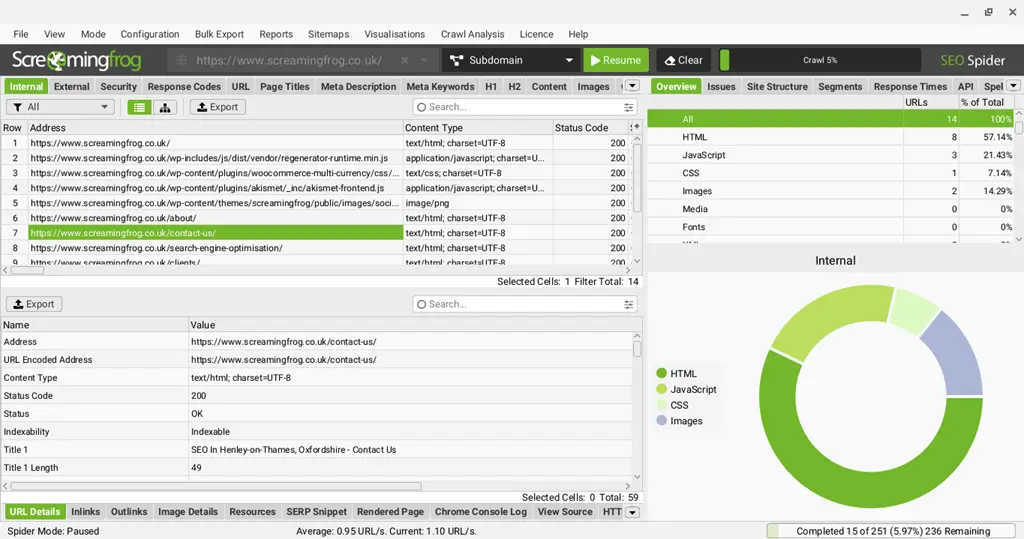
Screaming Frog SEO Spider is like a little robot that crawls through your website and collects useful information. It helps you understand how search engines see your pages.
Key Features:
- Finds broken links
- Checks for duplicate content
- Analyzes your page titles and descriptions
Why It’s Great for Mac Users: Screaming Frog works smoothly on macOS, and it’s simple once you learn the basics. The free version lets you crawl up to 500 pages, which is perfect for beginners.
2. SEO PowerSuite
SEO PowerSuite is like the Swiss Army knife of SEO tools, offering multiple features in one toolkit. It covers everything from rank tracking to site audits.
Key Features:
- Tracks your search rankings
- Checks your website for SEO problems
- Helps you build links
Why It’s Great for Mac Users: SEO PowerSuite includes a dedicated macOS installer, so it runs reliably on your Mac. You can download a free version to explore the core tools before upgrading.
Try SEO PowerSuite for Free Today
3. Semrush
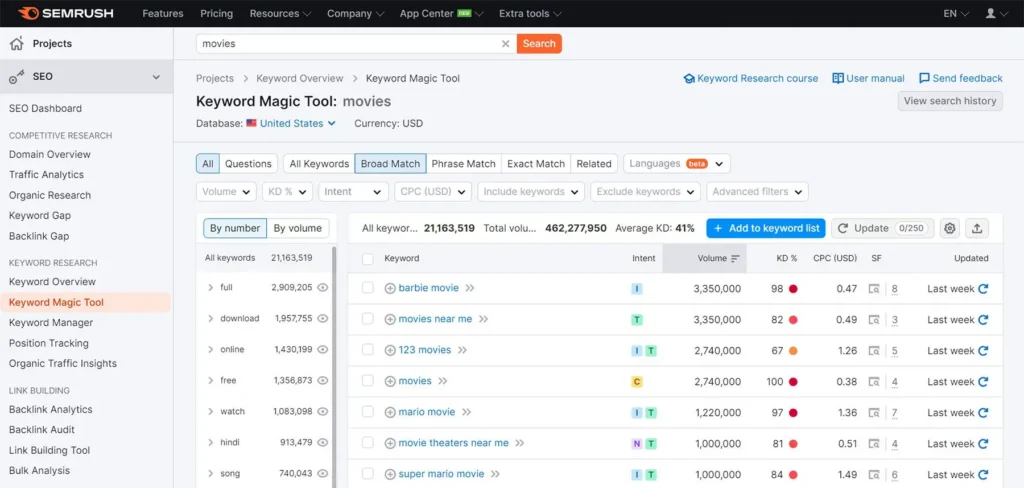
Semrush is like having a crystal ball for SEO because it shows what’s working for other websites. It helps you discover opportunities to improve your own site.
Key Features:
- Finds useful keywords
- Shows competitor strategies
- Suggests content ideas people want to read
Why It’s Great for Mac Users: Semrush works entirely in your browser, so it doesn’t matter what device you use. It offers powerful tools through paid plans and also provides trials or limited free features.
4. Ahrefs
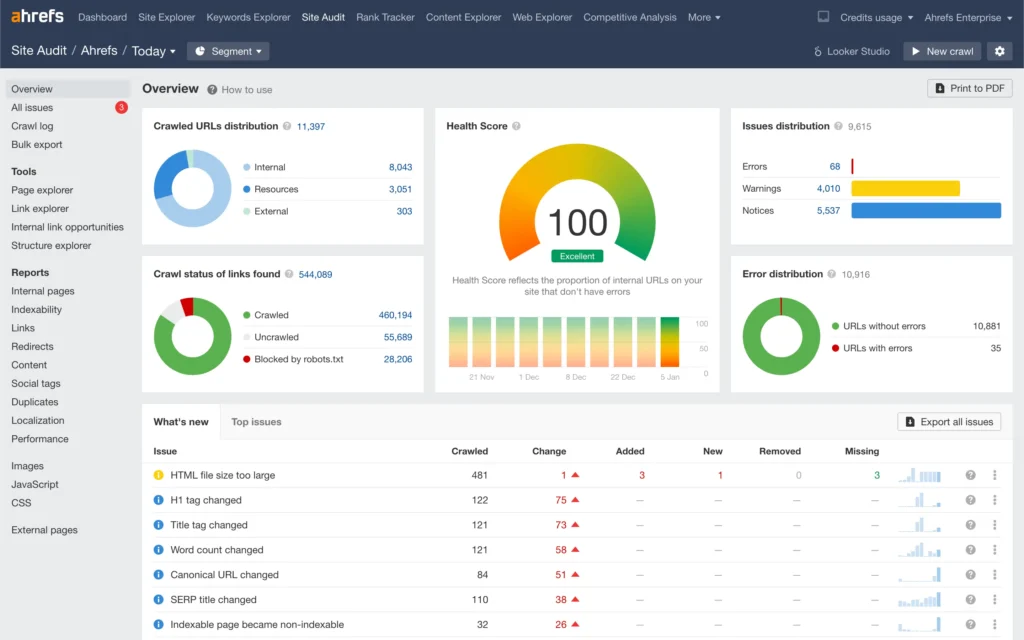
Ahrefs works like a treasure map of the internet, showing valuable keywords and backlinks that can increase your visibility online.
Key Features:
- Huge keyword database
- Detailed backlink insights
- Helps you discover trending topics
Why It’s Great for Mac Users: Ahrefs runs in the browser just like Semrush, making it convenient for Mac users. It shines in backlink and keyword research, two major pillars of SEO.
5. SE Ranking
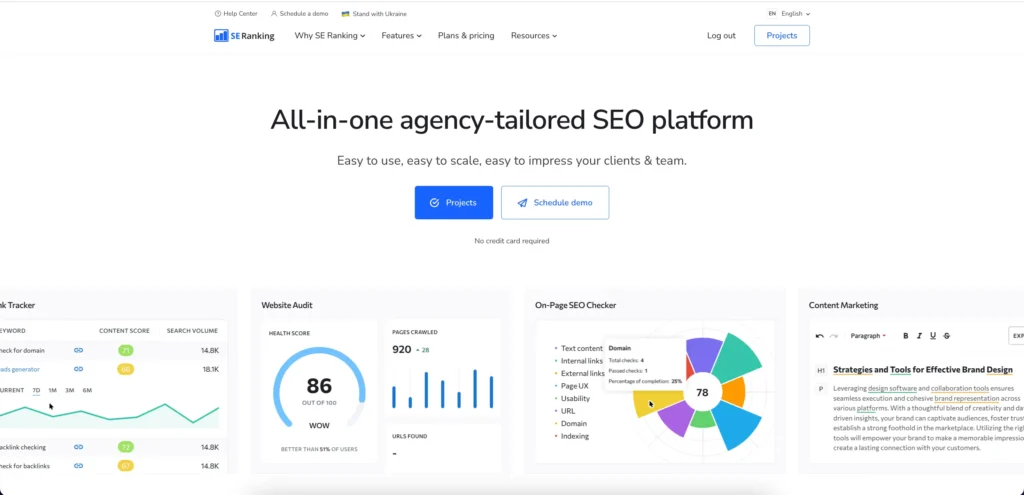
SE Ranking is a strong beginner-friendly tool with a budget-friendly approach. It offers many of the features you need without overwhelming complexity.
Key Features:
- Tracks your search positions
- Helps with keyword research
- Shows competitor performance
- Includes on-page analysis tools
Why It’s Great for Mac Users: SE Ranking is cloud-based, so it works on any Mac without installation. Just log in and use all features right from your browser.
6. SEOPress Insights
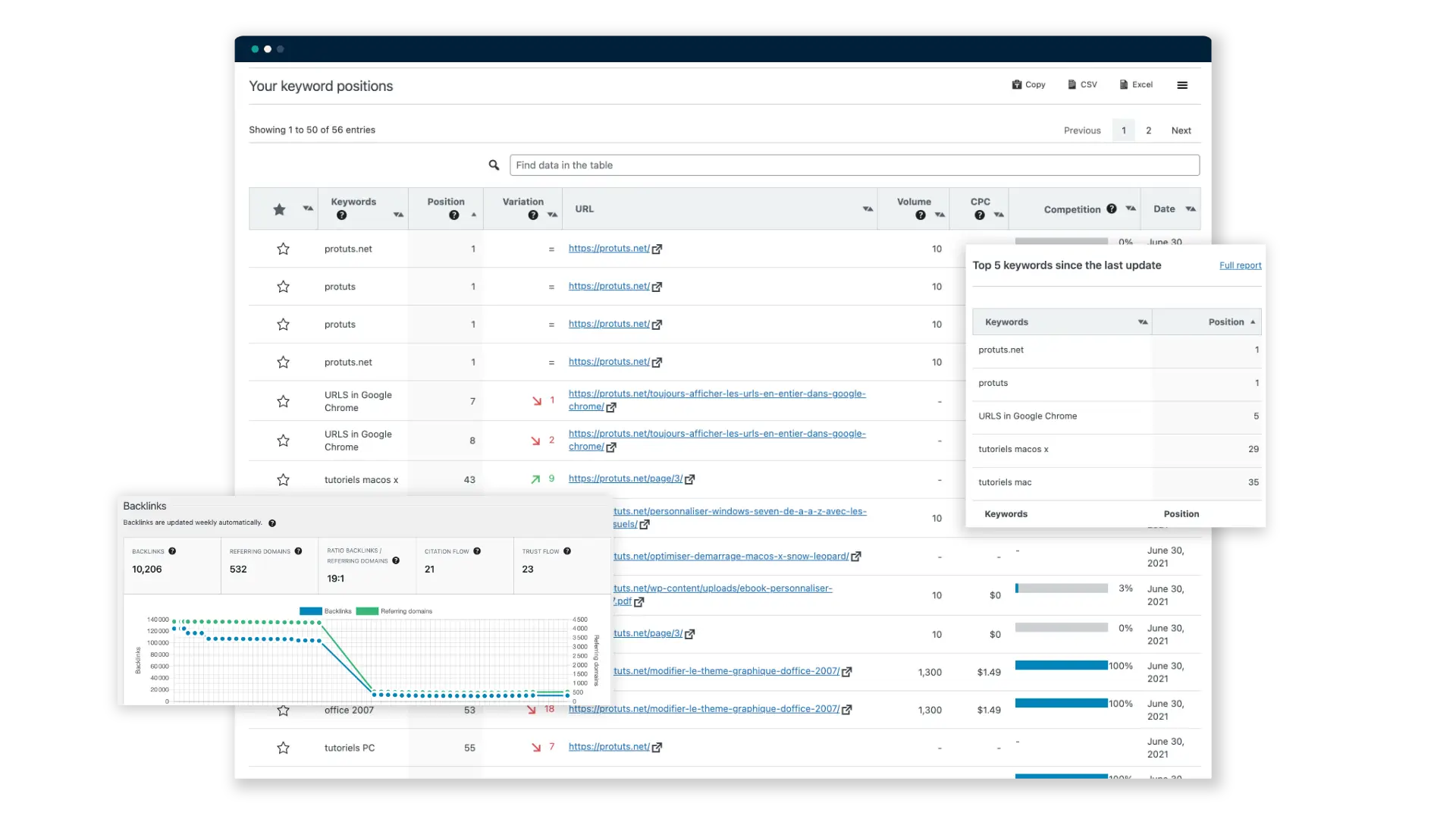
SEOPress Insights is like having a personal SEO teacher living inside your WordPress website. Instead of opening a different app, you can see how your site is doing right where you write your blog posts.
Key Features:
- Tracks your keyword rankings so you can see if your stories are moving up in Google.
- Monitors your backlinks to let you know when other websites talk about you.
- Provides daily updates so you always have the newest information about your SEO.
Why It’s Great for Mac Users: Because SEOPress Insights is a plugin, it works perfectly on any Mac. You just log into your website using Safari, and all your SEO data is waiting for you. It’s easy to understand and doesn’t slow down your computer.
Comparison Table: Best SEO Tool for Mac 2026
| Software | Ease of Use | Features | Price | Best For |
|---|---|---|---|---|
| SEOPress Insights | ⭐⭐⭐⭐⭐ | ⭐⭐⭐ | Budget-friendly monthly/yearly | WordPress users who want simple data |
| Screaming Frog | ⭐⭐⭐ | ⭐⭐⭐⭐ | Free (up to 500 URLs) | Technical SEO and finding site errors |
| SEO PowerSuite | ⭐⭐⭐⭐ | ⭐⭐⭐⭐⭐ | Free version available; paid upgrades | All-in-one solution with a Mac installer |
| Semrush | ⭐⭐⭐⭐ | ⭐⭐⭐⭐⭐ | Paid plans with trials | Comprehensive SEO and competitive research |
| Ahrefs | ⭐⭐⭐ | ⭐⭐⭐⭐⭐ | Paid plans; some free web tools | Deep keyword and backlink research |
| SE Ranking | ⭐⭐⭐⭐⭐ | ⭐⭐⭐⭐ | Affordable paid plans | Beginners and school projects |
Pricing and plans change often, so always check each tool’s official website for the latest deals, discounts, and any student offers.
How to Choose the Best SEO Software for You
Now that we’ve looked at some of the best SEO software for Mac 2026, you might be wondering how to pick the right one for you. Here are some things to consider:
- Your skill level: If you’re just starting out, look for software that’s easy to use and has good tutorials or a simple interface.
- Your needs: Think about what you want to achieve. Do you need to research keywords? Analyze your website? Track your rankings? Or do you want a technical crawl of all your pages?
- Your budget: Some tools have generous free versions, while others are fully paid. Start with free or cheaper tools while you’re learning, then upgrade later if you need more features.
- Compatibility: Make sure the software works well on your Mac. All the tools we’ve mentioned either have macOS apps or work in your browser, so you’re safe here.
Quick shortcut:
- Start with SE Ranking or SEO PowerSuite if you want an easier all-rounder.
- Add Screaming Frog when you’re ready to dig into more technical SEO.
Tips for Using SEO Software
Once you’ve chosen your best SEO software for Mac 2026, here are some tips to help you make the most of it:
- Start small: Don’t try to use all the features at once. Pick one or two (like keyword research or site audits) to focus on at first.
- Learn constantly: SEO is always changing, especially with AI and new search features. Keep learning about new techniques and best practices from trusted blogs and videos.
- Be patient: SEO takes time. Don’t expect to see huge results overnight. Think of it like leveling up in a game.
- Use multiple tools: Each tool has its strengths, so don’t be afraid to use more than one. For example, you might use SE Ranking for rank tracking and Screaming Frog for crawling.
- Practice on your own website: The best way to learn is by doing. Try creating a simple website or blog and use your SEO software to improve it step by step.
- Use AI as a helper, not a shortcut: Tools like ChatGPT can help you brainstorm keywords or outlines, but SEO software gives you the real data about what’s happening in search. Use both together for the best results.
Conclusion: Choosing the Top SEO Software for Mac in 2026
You now know the basics of the best SEO software for Mac in 2026. Whether you’re dreaming of creating the next big website or just curious about how the internet works, understanding SEO and knowing how to use SEO software is a valuable skill.
There’s no single perfect tool for everyone. The best tool for you depends on your needs, your budget, and how deep you want to go. Don’t be afraid to try different options – many of these tools offer free versions or trials so you can test them before deciding.
Keep exploring, keep learning, and who knows? Maybe one day you’ll be building advanced SEO strategies, creating your own tools, or helping big brands show up in search and AI results – all starting from your Mac and the software you choose today.
Further Reading
- SEOPress vs Rank Math
- Best AI SEO Tools for Bloggers in 2026
- AI Automation Tools for Content Creators in 2026
- SEO PowerSuite Review 2026
FAQs
Q: How can local SEO software for Mac help small business owners improve local SEO?
A: Local SEO software for Mac helps small business owners use local rank tracking software and website SEO audit tools to spot SEO issues, fix NAP problems, and improve local SEO visibility in nearby search results.
Q: Why should I compare the best SEO software before choosing an all-in-one SEO platform?
A: When you compare the best SEO software, you see which SEO platform offers the right mix of website crawler, keyword research tools, rank tracking, and reports, so you don’t get locked into an all-in-one SEO tool that doesn’t fit your SEO tasks.
Q: What SEO strategies for Mac users include crawling and auditing with a technical SEO spider?
A: Effective SEO strategies on Mac start with a technical SEO spider or website crawler to crawl a website, find common SEO issues, and support SEO auditing. Then you fix on-page SEO and track SEO performance in Google Search Console.
Q: How do I compare the top SEO software to find the best Mac SEO software of 2026?
A: To compare the top SEO software and discover the best Mac SEO software for 2026, check website crawler speed, keyword research tools, website SEO audit tools, and pricing. Choose the SEO platform that matches your SEO workflow and projects.
Q: Can Mac SEO software handle both onsite SEO and technical SEO for complex websites?
A: Yes. Many Mac SEO software tools combine onsite SEO checks with a technical SEO crawler software tool. They act as website optimization tools that flag SEO issues and opportunities on large or complex sites.
Q: Are there free SEO options for Mac that still provide website SEO audit tools?
A: Some free SEO options for Mac include a basic site crawler and website SEO audit tools. They are useful for initial SEO and small SEO efforts, but advanced SEO projects usually need a paid SEO platform with more features.
Q: How do SEO professionals use Mac SEO software to manage link building and SEO projects?
A: SEO professionals and SEO agencies use Mac SEO software with link building tools, link management tools, and tools web analytics to plan SEO projects, track SEO metrics, and manage SEO tasks for multiple clients.
Q: What role does a website crawler or spider play in ongoing SEO auditing and SEO workflow?
A: A website crawler or spider is an SEO spider that crawls a website, finds common SEO issues, and powers day-to-day SEO audit checks. Regular crawls keep your SEO workflow focused on fixing SEO issues and improving SEO performance.