
Disclosure: We may earn a commission from links on this page. Learn more.
Best To-Do List and Planning Apps for the 2026 Holiday Season
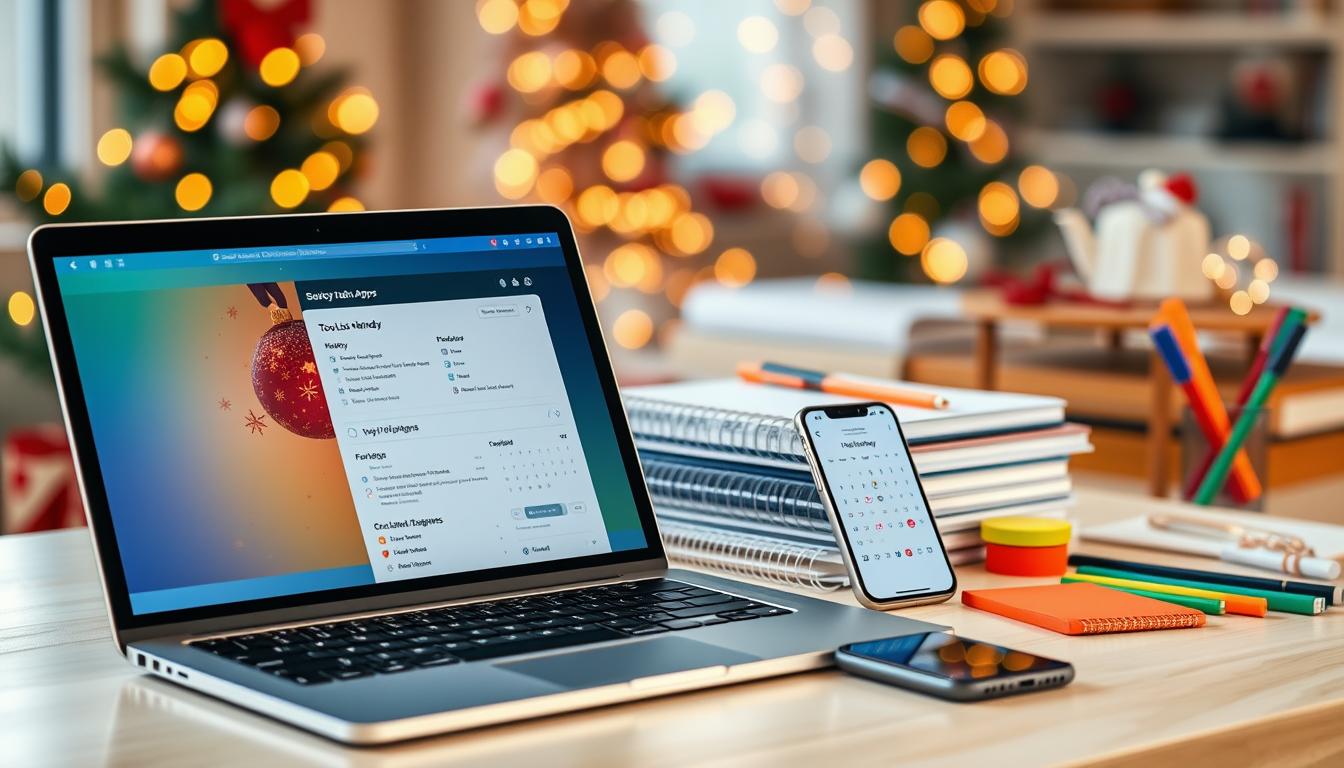
Holiday planning can get messy when gift lists, travel plans, family events, shopping tasks, and reminders are spread across different apps. A good to-do list app for holidays keeps everything in one place so you can plan the season without missing important tasks.
The best to-do list apps for holidays in 2026 include Todoist, Microsoft To Do, Any.do, TickTick, Trello, Google Keep, and Cozi. Todoist is best for detailed shared planning, Microsoft To Do is best for simple free lists, Any.do is strong for calendar-based planning, and Cozi is useful for family schedules.
The common mistake is choosing the app with the most features instead of the app that fits your real planning style. This guide compares the best options for shared lists, reminders, gift planning, family tasks, travel checklists, and simple holiday organisation.
If you also use notes while planning, see our guide to the best note-taking apps for 2026.
Quick Answer: Best To-Do List Apps for Holidays in 2026
For most users, Todoist is the best overall to-do list app for holiday planning because it supports shared projects, reminders, recurring tasks, comments, and calendar-style planning. Microsoft To Do is the best free simple option, Any.do is good for calendar-based planning, and Cozi is better for family organisation.
If you only need a simple gift list, Microsoft To Do or Google Keep may be enough. If you need shared tasks, reminders, due dates, and family planning, Todoist, Any.do, TickTick, or Cozi are better choices.
Key Takeaways
- Todoist is the best overall holiday planning app for shared tasks and reminders.
- Microsoft To Do and Google Keep are good free options for simple lists.
- Any.do is useful if you want tasks and calendar events in one place.
- Cozi is a strong choice for family calendars, shopping lists, and meal planning.
- Trello works well if you prefer visual boards for gift and event planning.
- TickTick is useful for recurring tasks, habits, and repeated reminders.
Introduction to Holiday Planning Apps

Holiday planning apps are useful for managing the rush before and during the holiday season. They help you organise tasks, set reminders, share lists, and keep track of many small responsibilities in one place.
These apps can help with family gatherings, holiday shopping, travel plans, gift lists, meal planning, and event preparation. Instead of keeping everything in your head, you can create simple lists and check items off as you finish them.
The best holiday planning app is not always the most advanced one. It is the one you will actually use, understand, and share easily with the people involved.
Why You Need the Best To-Do List Apps for Holidays
The holidays can be overwhelming with all the activities and tasks. Without the right tools, managing them can lead to stress, missed deadlines, forgotten gifts, and last-minute shopping.
The best to-do list apps for holidays make planning easier and more enjoyable. They help you break big tasks into smaller steps, such as buying gifts, preparing food, booking travel, wrapping presents, or sending invitations.
These apps have useful features like deadline reminders, shopping lists, shared tasks, and priority settings. By keeping tasks organised, you can avoid last-minute pressure and enjoy the holiday season with less stress.
Choosing the right app saves time and effort. A simple app may be enough for one person, while a shared planning app may be better for couples, families, or groups.
Top Holiday To-Do Apps for Efficient Planning
Planning for the holidays can feel overwhelming without the right tools. The best holiday apps make it easier to track tasks, plan shopping, manage events, and keep everyone updated.
Before choosing an app, think about how you plan. Some people need a simple checklist. Others need shared reminders, calendar views, recurring tasks, or visual boards.
Features to Look for in Holiday Planning Apps
When picking a holiday planning app, focus on the features you will actually use. A simple, clear interface is more important than a long feature list.
Useful features include:
- Task categories for shopping, travel, gifts, and events
- Deadline reminders for important tasks
- Shared lists for family or group planning
- Recurring tasks for repeated holiday jobs
- Calendar views for events and deadlines
- Notes or comments for gift ideas, links, and details
- Cross-device sync for phone, tablet, and computer use
Integrations That Enhance Productivity
Integrations can make holiday planning easier if you already use other tools. For example, calendar integration can help you see tasks and events together.
Apps that connect with Google Calendar, Outlook, Apple Calendar, Slack, or other tools can reduce switching between apps. This is useful when your planning includes work deadlines, family events, shopping days, and travel dates.
Still, do not choose an app only because it has many integrations. Choose the app that matches your daily planning style.
| App | Best For | Key Features | Free Option |
|---|---|---|---|
| Todoist | Best overall to-do list app | Shared projects, reminders, recurring tasks, comments, calendar view | Yes |
| Microsoft To Do | Best free simple app | Shared lists, due dates, reminders, Outlook task sync | Yes |
| Any.do | Best for calendar planning | Tasks, reminders, calendar view, Google, Outlook, and Apple calendar support | Yes |
| TickTick | Best for recurring tasks and habits | Lists, reminders, repeat reminders, calendar view, habits | Yes |
| Trello | Best visual holiday planning | Boards, lists, cards, checklists, due dates, team planning | Yes |
| Google Keep | Best for quick notes and gift lists | Notes, checklists, labels, reminders, sharing | Yes |
| Cozi | Best for families | Shared family calendar, shopping lists, to-do lists, meal planning | Yes |
Holiday Organization Apps: Which One Is Right for You?
Finding the right holiday organisation app can make your planning easier. It can also help make the festive season more enjoyable because you are not trying to remember everything at the last minute.
There are many apps available, but each one works in a different way. Some are built for simple checklists, while others are better for shared family planning, calendar tasks, or visual project boards.
Think about what you need most. Do you want to manage shopping lists, plan travel, organise family events, or keep a gift list? Also consider how often you will use the app and whether it works well on your phone, computer, and tablet.
Considerations for Choosing the Best App
When choosing a holiday planning app, keep these points in mind:
- Device compatibility: Make sure the app works on your phone, tablet, and computer.
- Ease of use: Choose an app you can understand quickly.
- Sharing options: Check whether you can share lists with family, friends, or your partner.
- Reminders: Make sure the app can remind you before important tasks.
- Pricing: Check what is free and what needs a paid plan.
- Calendar support: Choose a calendar-friendly app if dates and events matter.
Popular Options and Their Unique Features
There are many holiday planning apps, but the best choice depends on how you organise tasks.
- Todoist is best for shared projects, reminders, recurring tasks, and detailed planning.
- Microsoft To Do is best for simple free lists, shared tasks, and basic reminders.
- Any.do is best if you want tasks and calendar events together.
- TickTick is useful for recurring reminders, habits, and daily planning.
- Trello is best for visual boards, gift tracking, and event planning stages.
- Google Keep is best for quick gift lists, shopping notes, and simple shared checklists.
- Cozi is best for family calendars, shopping lists, meal planning, and household tasks.
Essential Holiday Checklist Apps for a Stress-Free Season
The holiday season is busy, and staying organised is important. Holiday checklist apps help you keep track of shopping, cooking, travel, gifts, decorations, and family plans.
A checklist app gives you a clear view of what is done and what still needs attention. Marking off tasks also gives you a small sense of progress, which can reduce stress during a busy season.
Look for apps that let you share lists with family or friends. This makes planning together easier. Budgeting tools in these apps help you stay on track financially.
If you plan to use discounts while shopping, read our guide on coupon stacking rules so you can avoid expired codes and understand how offers usually work.
Here are some useful checklist app options:
| App | Best Checklist Use | Key Strength |
|---|---|---|
| Todoist | Gift lists, travel tasks, family planning | Strong shared planning and reminders |
| Microsoft To Do | Simple shopping and task lists | Free and easy to use |
| Google Keep | Quick gift ideas and notes | Fast checklist creation |
| Any.do | Calendar-based holiday tasks | Good task and calendar connection |
| TickTick | Recurring holiday reminders | Useful for repeat tasks and habits |
| Cozi | Family shopping and meal planning | Built for household organisation |
Using these holiday checklist apps can make the busy season easier. Compare the features and choose the one that fits your planning style.
Best Vacation To-Do List Apps to Simplify Your Getaway
Planning a holiday getaway can be complex. The best vacation to-do list apps make it easier to manage travel itineraries, packing lists, booking reminders, and activity schedules.
With one app, you can keep your trip planning in order and avoid forgetting important tasks.
Look for features such as:
- Packing lists for clothes, chargers, documents, and travel items
- Date-based reminders for bookings, check-ins, and travel times
- Shared lists for family or group trips
- Calendar views for flights, hotel stays, and planned activities
- Notes for booking details, addresses, and travel links
Todoist and TickTick are useful for detailed travel checklists. Any.do is helpful if you want tasks connected with calendar events. Microsoft To Do works well for simple packing lists, while Google Keep is good for quick travel notes.
Travel planning also needs safe access to booking accounts, email accounts, and shared logins. Our guide to the best password managers for 2026 can help you choose a safer way to store important passwords.
Best App by Use Case
| Use Case | Best App |
|---|---|
| Best overall to-do list app for holidays | Todoist |
| Best free simple to-do list app | Microsoft To Do |
| Best shared family planning app | Cozi |
| Best calendar-based planning app | Any.do |
| Best visual board-style planning app | Trello |
| Best quick gift list app | Google Keep |
| Best app for recurring tasks and habits | TickTick |
| Best app for couples | Todoist or Microsoft To Do |
| Best app for travel checklists | Todoist or TickTick |
| Best app for basic shopping lists | Google Keep |
Simple Holiday Planning Setup You Can Copy
You do not need a complicated system to stay organised. Start with a few clear lists and add more detail only when needed.
Gift List
Use this list for gift ideas, prices, links, delivery dates, and the person you are buying for.
You can add labels such as “Idea,” “Bought,” “Ordered,” “Wrapped,” or “Delivered” if your app supports them.
Shopping List
Use this list for food, household items, decorations, party supplies, and last-minute purchases.
If other people are helping, share the list so everyone can update it.
Travel List
Use this list for packing, documents, chargers, medicines, bookings, and transport reminders.
Set reminders for important dates such as check-in time, airport travel, or hotel booking deadlines.
Family Events List
Use this list for dinners, visits, video calls, school events, and family plans.
If dates are important, use an app with calendar support such as Any.do, Todoist, TickTick, or Cozi.
After-Holiday List
Use this list for returns, warranty checks, thank-you messages, photo backups, and subscription cancellations.
These tasks are easy to forget after the season ends, so reminders can help.
Common Mistakes When Choosing To-Do List Apps
Choosing the wrong app can make planning harder instead of easier. The goal is not to use the most advanced app. The goal is to use the app that you and your family will actually keep using.
Choosing Too Many Apps
One app for gifts, one for travel, one for reminders, and one for events can quickly become confusing.
Try to keep your main planning inside one app. Use a second app only if it solves a clear problem.
Picking Features You Do Not Need
Advanced boards, filters, automations, and templates can be useful. But they can also waste time if you only need a simple checklist.
For quick lists, Google Keep or Microsoft To Do may be enough.
Forgetting Shared Access
If other people need to help, check whether the app supports shared lists, assigned tasks, or shared calendars.
This matters for family shopping, travel plans, holiday events, and shared home tasks.
Not Checking Free Plan Limits
Many apps offer a free version, but limits can change. Before moving all your planning into one app, check whether reminders, calendar view, collaboration, and recurring tasks are included in the plan you want to use.
Making the System Too Complicated
A good holiday planning system should be easy to follow.
Use simple list names such as:
- Gift Ideas
- To Buy
- Ordered
- Travel
- Food
- Family Events
- Done
This makes the app easier for everyone to understand.
Conclusion
The best to-do list app for the 2026 holiday season depends on your planning style. Todoist is the best all-round choice, Microsoft To Do is best for simple free lists, Any.do is useful for calendar planning, and Cozi is best for family organisation.
If you want quick gift lists, Google Keep is enough. If you want visual boards, Trello is better. If you want recurring reminders and habits, TickTick is a strong choice.
Start with one app, create a few simple lists, and keep the system easy for everyone to follow. A clear plan can reduce last-minute stress and help you enjoy the holiday season more.
For more practical app guides, browse our Software & Apps section.
Further Reading
- Best Note-Taking Apps for 2026
- Best Password Managers for 2026
- Coupon Stacking Rules: How to Save More Without Mistakes
- Best Holiday SaaS Deals
- AI Automation Tools for Content Creators
FAQs
Q: What is the best to-do list app for holidays in 2026?
A: Todoist is the best overall to-do list app for holidays in 2026 because it supports shared projects, reminders, recurring tasks, comments, and calendar-style planning.
Q: What is the best free shared to-do list app?
A: Microsoft To Do is one of the best free shared to-do list apps for simple lists, reminders, due dates, and family tasks. Google Keep is also useful for quick shared checklists.
Q: Which to-do list app is best for holiday planning?
A: Todoist is best for detailed holiday planning, Cozi is best for family schedules, and Any.do is useful if you want tasks and calendar events in one place.
Q: Which to-do list app is best for couples?
A: Todoist, Microsoft To Do, and Any.do can work well for couples because they support shared lists, reminders, and task planning across devices.
Q: Which app is best for holiday gift lists?
A: Google Keep is good for quick gift lists, Microsoft To Do is good for simple shared shopping lists, and Cozi is better for family gift and shopping planning.
Q: Do to-do list apps work with calendars?
A: Yes, many to-do list apps support calendar features. Todoist, Any.do, TickTick, Trello, and Cozi can help with calendar-style planning in different ways. Always check the current free and paid plan limits before choosing.
Q: Should I use Trello or a normal to-do list app for holiday planning?
A: Use Trello if you prefer visual boards with cards and checklists. Use Todoist, Microsoft To Do, or Any.do if you prefer simple task lists, reminders, and daily planning.
Q: Is Google Keep enough for holiday planning?
A: Google Keep is enough for quick gift lists, shopping notes, and simple shared checklists. For bigger plans with reminders, dates, family schedules, or repeated tasks, Todoist, Microsoft To Do, Any.do, TickTick, or Cozi may work better.