Disclosure: We may earn a commission from links on this page. Learn more.
Password Manager vs Browser Saved Passwords: Which Is Safer in 2026?

Password manager vs browser saved passwords in 2026 is not a small decision. The average internet user has over 100 online accounts, and weak or reused passwords make you an easy target for attacks. Relying only on your browser to remember everything can feel convenient but leaves gaps in your security.
With new threats online, it’s crucial to understand the pros and cons of each approach. This guide explains how both options work, where they fall short, and when a dedicated password manager is the safer choice for protecting your digital identity.
Key Takeaways
- The average user has 100+ online accounts, highlighting the need for effective password management.
- Choosing between a password manager vs browser saved passwords impacts your security level.
- The landscape of password utilities continues to evolve in 2026.
- Understanding password risks is key to protecting your online security.
- Each password management option offers unique features to consider.
The Importance of Strong Password Management
Online security is always changing, making strong password management key. Many people don’t realize how risky weak passwords are. As we use more digital services, cyber threats grow, putting our personal info at risk.
Knowing these dangers can push people and companies to use better password tools.
Understanding the Risks of Poor Password Security
Many think saving passwords in browsers is easy and safe. But this method can actually put our data at risk. If a device is infected with malware, stolen, or left unlocked, saved passwords can be exposed and misused.
Cybercriminals take advantage of these weak spots. It’s vital to understand the dangers of bad password habits.
Statistics on Password Usage in 2026
Recent studies show a big trend in password use. Many users still rely mainly on browser autofill for their logins. By 2026, experts predict a strong move toward dedicated password tools, with the market for password managers expected to reach several billion dollars.
This change shows more people see how important password security is for keeping our info safe online.
Understanding Browser Saved Passwords
Modern web browsers like Google Chrome, Mozilla Firefox, and Apple Safari save your login details for you. This makes logging in easier, but it’s important to know how it affects your security and privacy.
What Are Browser Autofill Features?
Browser autofill lets you save usernames and passwords. It makes logging into websites quick and easy. But it might not be as secure as you think.
Potential Security Risks of Using Browser Autofill
Autofill features are handy but risky. If someone gains access to your device, browser-stored logins may be easier to misuse. Malware and phishing attacks can also target users who rely on autofill. For accounts like banking, using a dedicated password manager is safer.

Dedicated Password Managers Explained
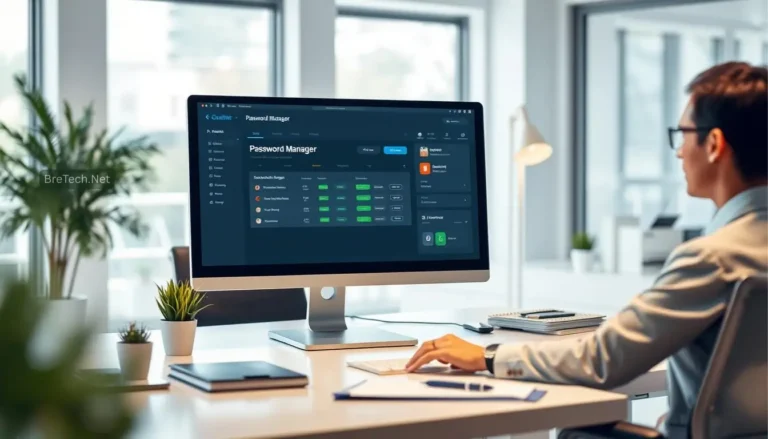
Dedicated password managers are a top choice for keeping your online info safe. They offer both security and ease of use, beating out old methods like saving passwords in browsers. Knowing what makes them great can show you the big password manager benefits.
What Makes Password Managers Secure?
Password managers use top-notch encryption to keep your data safe. They often use strong algorithms and biometric checks like fingerprints or facial scans. This combo makes sure only you can get into your account, cutting down on hacking risks.
Key Features of Password Management Tools
Digital security tools have special features that set the best password managers apart. Some key ones are:
- Password strength analysis to help make strong passwords.
- Breach monitoring, which warns you if your login info shows up in leaks.
- Secure sharing capabilities for sharing passwords safely.
- Multi-device synchronization for easy access on all your devices.
Popular Password Managers in 2026
In 2026, some password managers stand out for their features and ease of use. NordPass and Bitwarden are leaders, showing strong performance in the comparison of password managers. They focus on security and add features to make your life easier and keep your info private.

Password Manager vs Browser: A Detailed Comparison
Understanding the difference between password managers and browser-saved passwords is key. Each has its own security, convenience, and advanced features. This comparison will help you see what’s important.
Security Measures: Encryption and Phishing Protection
Password managers use strong encryption to keep your data safe. They also have phishing protection to check URLs before filling in your login info. On the other hand, browser-saved passwords might not be as secure, making them riskier.
Convenience: Access Across Devices
Convenience is a big deal in password management. Password managers work on many devices and platforms, so you can get to your passwords anywhere. Browser-based solutions are often limited to certain browsers and devices, which can be a hassle.
Advanced Features: What Each Option Offers
Password managers have cool features like secure password sharing and breach alerts. They also offer multi-factor authentication for extra security. Browser-saved passwords don’t have these advanced features, making password managers a better choice for full security.

Conclusion
Browser autofill features make logging in easier but are not the safest option on their own. They leave users open to threats that can harm their online safety.
Dedicated password managers are a better choice for keeping your data safe. They use strong encryption and are easy to use. They help protect important accounts like your bank and online shopping.
As we head into 2026, it’s time to rethink how we manage our passwords. Using a dedicated password manager can greatly improve your online security. This way, you can feel safer when you’re online.
Further Reading
- What Is a Password Manager and How Does It Work?
- Best Password Managers in 2026
- Does IPVanish Work With Netflix?
- Best Offline Password Managers in 2026
- Best Password Manager for Seniors in 2026
- How password managers work and why you should use one
FAQ
Q: What is a password manager?
A: A password manager is a tool that keeps your passwords safe. It uses strong encryption to protect your data. It also checks password strength, allows secure sharing, and monitors for breaches.
Q: Are browser-saved passwords safe to use?
A: Browser-saved passwords are convenient but not the most secure option. If your device is compromised or left unlocked, saved logins can be easier targets for hackers. This is a big risk for your important accounts.
Q: How do password managers enhance online security?
A: Password managers offer strong security. They use encrypted vaults and biometric authentication. They also have features like phishing protection to keep your data safe.
Q: What are the main benefits of using a password manager over a browser’s autofill feature?
A: Password managers are better because they use stronger protection, work on many devices, and offer advanced security features. This makes your sensitive information safer than relying only on browser autofill.
Q: How can I choose the best password manager for my needs?
A: Look at how easy it is to use and if it works with your devices. Check the features, like breach alerts, and the encryption level. This ensures your passwords are well-protected.
Q: What is the projected market size for password management tools in the coming years?
A: The market for password management is expected to grow strongly by 2026. This shows how important these tools are for online security.
Q: Are there any notable password managers recommended for 2026?
A: Yes, NordPass and Bitwarden are top choices. They offer features to boost online privacy and secure password management.