
Disclosure: We may earn a commission from links on this page. Learn more.
Proton Review 2026: A Complete Overview of the Proton Privacy Ecosystem
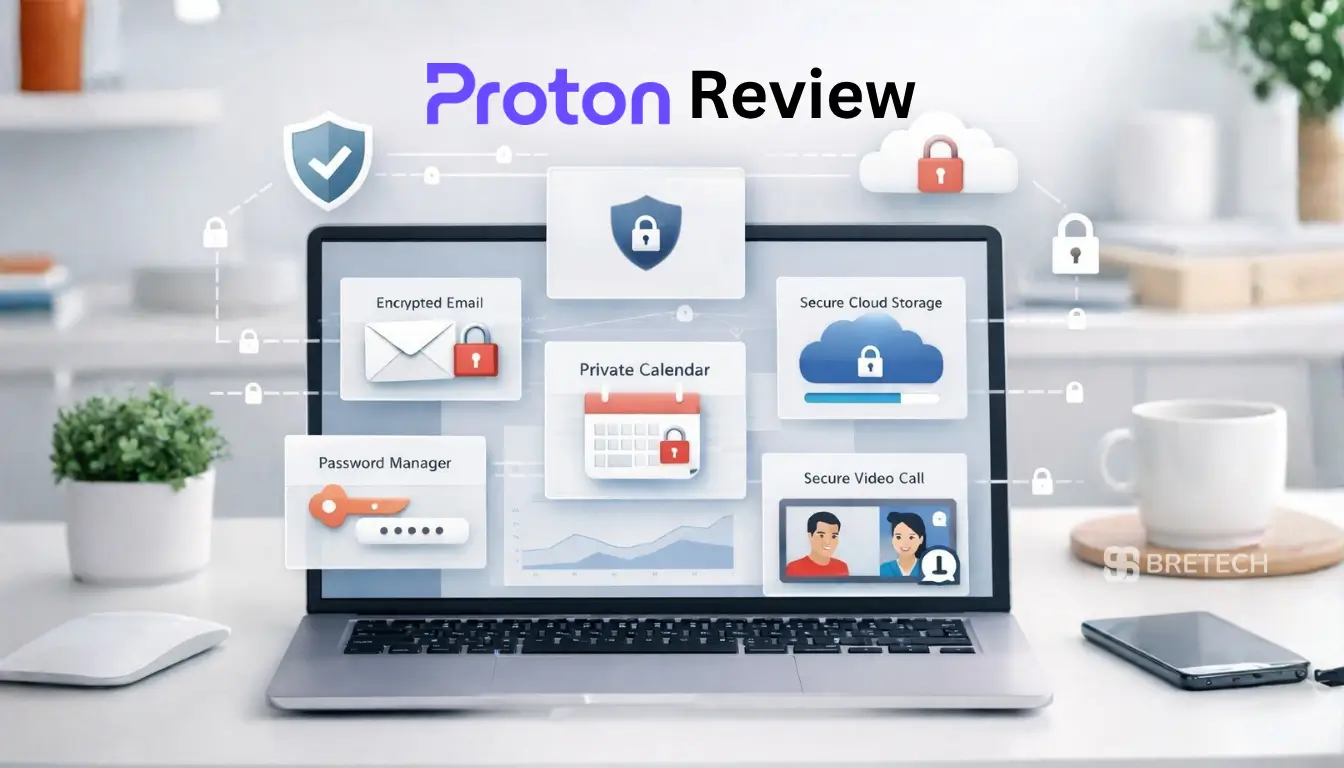
Proton is a privacy-focused ecosystem for people who want secure email, VPN, encrypted cloud storage, password management, calendar tools, and private meetings under one account. In this Proton Review 2026, we look at Proton Mail, Proton VPN, Proton Drive, Proton Pass, Proton Calendar, and Proton Meet to explain what works well, what still feels limited, and who should consider it.
Proton is strongest when you want several privacy tools together. It may not be the best choice if you only need the cheapest VPN, the most advanced cloud collaboration, or a business suite that works exactly like Google Workspace or Microsoft 365.
Key Takeaways
- Proton is best for users who want email, VPN, cloud storage, password management, and calendar tools in one privacy-focused account.
- Proton Mail and Proton Drive are strong for private communication and encrypted storage, but they may feel limited for heavy team collaboration.
- Proton VPN is useful for public Wi-Fi protection, privacy-focused browsing, and multi-device use, but speed and streaming results can vary by location.
- Proton Unlimited makes more sense when you plan to use several Proton services, not just one standalone tool.
- Proton is not ideal for users who want the cheapest option, deep office-suite features, or full dependence on Google or Microsoft workflows.
How We Reviewed Proton
This review is based on Proton’s current product pages, plan details, privacy positioning, feature differences, and how the tools fit together for everyday users. We looked at Proton Mail, Proton VPN, Proton Drive, Proton Pass, Proton Calendar, Proton Meet, and the wider Proton ecosystem as a full suite rather than reviewing only one app.
This is not a VPN speed test or a full business deployment test. For speed, streaming, and advanced company use, users should still check current plan limits, supported countries, device needs, and business features before subscribing.
Plan details can change, so always confirm the final features and price on the official Proton checkout page before buying.
Proton Review 2026: Ecosystem Overview
What Is Proton?
Proton is a privacy-first ecosystem offering a range of Proton apps and services, including Proton Mail, Proton VPN, Proton Drive, Proton Pass, Proton Calendar, Proton Meet, and Proton Wallet. The company is based in Switzerland and focuses on privacy, encryption, and user control over personal data.
In simple words, Proton software is used for private email, safer browsing, encrypted file storage, password management, private scheduling, and secure video calls. It is mainly for people who want fewer tracking-heavy tools and a cleaner alternative to big tech ecosystems.
How Proton Products Work Together
The main benefit of Proton is that several privacy tools work under one account. Proton Mail handles private email, Proton VPN protects your internet connection, Proton Drive stores encrypted files, and Proton Pass helps manage passwords and aliases.
This setup is useful if you want fewer separate accounts and a more privacy-focused daily workflow. However, it does not mean Proton will replace every feature from Gmail, Google Drive, Microsoft Teams, or specialist VPN tools for every user.
Proton Privacy Features and Trust Signals
Proton focuses heavily on privacy, encryption, and transparency. Many Proton services use end-to-end or zero-access encryption, and Proton also publishes information about open-source apps and security audits.
This is a strong trust signal, but users should still understand the limits. Some metadata, account details, billing information, and technical data may still be needed for any online service to work properly.
Overview of Proton Products
Proton Mail: Secure Email for Everyday Privacy
Proton Mail is a secure, end-to-end encrypted email service for people who want more privacy than standard email providers usually offer. It helps protect your messages, supports private communication, and gives you a cleaner privacy-focused alternative to mainstream inboxes.
If you need a more advanced setup for shared domains, admin controls, or team use, explore Proton Mail for Business.
Proton VPN: Private Browsing and Better Network Protection
Proton VPN encrypts your internet connection, hides your IP address from websites and public Wi-Fi networks, and helps reduce tracking while you browse. It is a strong fit for privacy-focused users who want safer browsing, public Wi-Fi protection, and a simple VPN that works across multiple devices.
If you are mainly choosing a VPN for phones, tablets, laptops, and shared household use, read our guide to the best VPN for multiple devices.
For teams or company-wide protection, you can also look at Proton VPN for Business.
Proton Drive: Encrypted Cloud Storage for Files and Backups
Proton Drive gives you end-to-end encrypted cloud storage for documents, photos, and other important files. It is useful for private file storage, secure sharing, and keeping sensitive data inside the wider Proton ecosystem.
Proton Drive privacy features are useful for people who want stronger protection than normal cloud storage. However, users who need advanced team editing, large office workflows, or deep integration with Google Docs or Microsoft Office should compare the limits before switching.
If you want to try it first, you can start with Proton Drive’s free plan.
For teams that need secure collaboration and protected file sharing, explore Proton Drive for Business.
Proton Pass: Password Management Made Simple
Proton Pass is a password manager designed to help you store logins safely, create stronger passwords, and keep your accounts better protected. It is a practical option for users who want a privacy-focused password manager that works well with the rest of Proton’s tools.
If you want to compare Proton Pass with other strong options, see our Best Password Managers 2026.
For businesses that want safer team password sharing and admin control, check Proton Pass Professional.
Proton Calendar: Private Scheduling Without Extra Tracking
Proton Calendar is a privacy-focused scheduling tool that helps keep your events, reminders, and appointments more private. It is a useful choice for users who want a calendar that fits naturally with Proton Mail and the wider Proton ecosystem.
It is best for users who want simple private scheduling. If you depend heavily on shared company calendars, advanced booking systems, or a Google Workspace setup, check whether Proton Calendar fits your workflow before moving everything across.
Proton Meet: Private Video Calls Inside Proton
Proton Meet is Proton’s video calling tool for users who want more private online meetings. It is positioned as a privacy-focused alternative to mainstream video calling platforms and fits best for users who already prefer Proton’s ecosystem for communication and security.
A Proton Meet review should not only look at privacy. It should also consider call limits, meeting size, device support, screen sharing, admin needs, and whether the people you call are comfortable joining through Proton.
If you are comparing Proton Meet with simpler mainstream options, read our guide to the best video calling apps for families.
Proton Wallet: Optional Crypto Wallet Features
Proton Wallet is part of the wider Proton ecosystem, but it will not matter to every user. It is mainly relevant for users who specifically want wallet features inside a privacy-focused account.
For most everyday users, Proton Mail, Proton VPN, Proton Drive, and Proton Pass will be more important than Proton Wallet. If you do not use crypto, this feature should not be the main reason to choose Proton.
Proton VPN: Features and Performance
Privacy and Security Features
Proton VPN encrypts your internet connection and helps hide your IP address from websites, public Wi-Fi networks, and some forms of tracking. This makes it useful for browsing on shared networks, travelling, or keeping your internet activity more private.
A VPN does not make you completely anonymous. Websites can still use cookies, account logins, device signals, and other tracking methods, so Proton VPN should be seen as one part of a wider privacy setup.
Usability and Cross-Device Experience
Proton VPN offers a smooth experience across common devices. Its app is available on desktop and mobile platforms, making it easy to use across computers, phones, and tablets.
This is helpful if you want one VPN account for daily browsing, public Wi-Fi, travel, and basic privacy protection. It also fits naturally into the wider Proton ecosystem if you already use Proton Mail, Drive, or Pass.
Independent Audits and Trust Factors
Proton VPN has undergone independent audits to support its no-logs and security claims. This adds trust because users do not have to rely only on marketing claims.
That said, audits should not be treated as a magic guarantee. They are useful trust signals, but users should still compare privacy policy details, app features, server locations, and real-world performance before choosing any VPN.
Proton Mail: A Closer Look
Encryption and Security Measures
Proton Mail uses end-to-end encryption to secure emails between Proton users. It also offers privacy-focused email features for people who want more control over their inbox and account data.
This built-in security is one reason Proton Mail is popular with privacy-focused users. However, email privacy still depends on how you send messages, who receives them, and whether the other person also uses secure email settings.
Usability on Android and Other Platforms
Proton Mail offers apps for Android, iOS, desktop, and web use. These apps make it easier to manage encrypted email without needing advanced technical knowledge.
The mobile apps are designed for everyday users, so you can manage private email on the go. Users moving from Gmail or Outlook may still need some time to adjust to Proton’s different layout and ecosystem.
Feature Parity with Competitors
Proton Mail is improving, but it may not match every convenience feature from Gmail, Outlook, or Microsoft 365. Mainstream email services often have deeper third-party integrations, broader office tools, and more familiar business workflows.
Proton Mail is a stronger option for people who care more about privacy, encryption, and account security than extra convenience features. It is less ideal for users who depend heavily on Google or Microsoft integrations.
Proton Pricing, Tiers, and Plans
Proton Unlimited Review: What You Get
Proton Unlimited is a bundle plan for users who want several Proton services together. It is not only a Proton Mail upgrade. It is designed for people who want premium access across Proton Mail, Proton Calendar, Proton Drive, Proton Pass, Proton VPN, and other included Proton services.
Plan details were checked on May 31, 2026, but Proton pricing and features can change. Always confirm the current details on the official Proton pricing page before buying.
| Proton Service | Main Use | Best For |
|---|---|---|
| Proton Mail | Private email and encrypted communication | Users moving away from ad-supported email |
| Proton VPN | Encrypted internet connection and IP protection | Public Wi-Fi, travel, and privacy-focused browsing |
| Proton Drive | Encrypted cloud file storage | Private documents, photos, and secure sharing |
| Proton Pass | Passwords, aliases, and login security | Users who want safer account management |
| Proton Calendar | Private scheduling | Users who want less tracking around events |
| Proton Meet | Private video calls | Users already using Proton tools |
| Proton Wallet | Bitcoin wallet features | Users who specifically need crypto wallet access |
Pricing Structures for Different Users
Proton offers different pricing tiers for users with different needs. There is usually a free option for basic use, while paid plans unlock more storage, stronger VPN features, more email options, password manager features, and business-focused tools.
The right Proton plan depends on what you actually use. If you only need email, Proton Mail Plus may be enough. If you want email, VPN, storage, password management, and calendar tools together, Proton Unlimited may offer better value.
Overall Value Assessment
Proton can offer good value if you plan to use several tools together, such as Mail, VPN, Drive, Pass, and Calendar. In that case, one Proton subscription may be easier to manage than paying for separate privacy tools from different companies.
It is less attractive if you only need one basic tool. For example, users who only need a simple VPN, free cloud storage, or a basic password manager may find cheaper or more focused alternatives.
Is Proton Worth It?
Proton is worth it if you want several privacy tools in one account instead of paying for separate email, VPN, cloud storage, password manager, and calendar services. It is especially useful for users who care about privacy and want a cleaner alternative to big tech ecosystems.
It may not be worth it if you only need one basic tool. For example, if you only want a cheap VPN, free cloud storage, or a simple password manager, a standalone service may be enough.
So, is Proton good? Yes, for privacy-first users who want a joined-up ecosystem. But it is not automatically the best option for users who care mostly about price, streaming, office collaboration, or business admin controls.
Pros and Cons of Using Proton
Advantages of the Proton Ecosystem
The biggest advantage of Proton is that several privacy-focused tools work together under one account. You can manage email, VPN, storage, passwords, calendar, and meetings without relying fully on larger ad-supported platforms.
Proton is also based around privacy, encryption, open-source apps, and independent audits. These trust factors make it attractive for users who want more control over personal data.
Potential Drawbacks to Consider
The main drawback is that Proton works best when you commit to the ecosystem. If you only use one Proton app, the paid bundle may feel expensive compared with standalone tools.
Some Proton tools may also feel less advanced than mainstream office and collaboration platforms. Users who need deep document editing, large team workflows, advanced admin features, or very specific business integrations should compare Proton carefully before switching.
VPN speed can also vary by location, server load, device, and internet connection. Proton VPN may work well for privacy, but users should still test it for their own browsing, streaming, or travel needs.
Who Should Use Proton and Who Shouldn’t
Best Fit for Users
Proton is a strong fit for users who care about online privacy, secure communication, and better control over personal data. It works well for people looking for a privacy-focused alternative to Google services, especially for:
- Email and cloud storage
- Password management and everyday browsing protection
- Private scheduling and video calls
- Safer use of public Wi-Fi
- A simpler privacy-focused software suite
Proton is also a good choice for freelancers, remote workers, journalists, activists, and professionals who may handle sensitive information and want stronger privacy tools.
Users who want multiple services in one ecosystem may find Proton especially useful, since Proton Mail, Proton VPN, Proton Drive, Proton Pass, Proton Calendar, and Proton Meet are designed to work together under one account.
It can also suit beginners who want better privacy without needing advanced technical knowledge, as long as they prefer security and long-term value over the lowest possible price.
Situations Where Proton May Not Be Ideal
Proton may not be ideal for users who need the absolute lowest price or require advanced features offered by mainstream services. If you do not need end-to-end encryption and prefer a free service, Proton’s limits might feel frustrating.
Users who rely heavily on Google Workspace, Microsoft 365, Teams, advanced shared documents, or complex business integrations may also find Proton more restrictive.
If your main need is only streaming VPN access, only free cloud storage, or only a simple password manager, you may get better value from a specialist tool.
Alternatives to Consider
Contextual Alternatives to Proton
If Proton does not fit your needs, there are alternatives to consider. The right option depends on whether you care most about privacy, price, storage, VPN speed, business features, or daily convenience.
- For secure email, compare Proton Mail with Tuta, StartMail, or other private email providers.
- For VPN services, compare Proton VPN with privacy-focused VPN services such as Mullvad, IVPN, NordVPN, Surfshark, or ExpressVPN.
- For password management, compare Proton Pass with Bitwarden, 1Password, NordPass, Dashlane, or other password managers.
- For cloud storage and office work, compare Proton Drive with Google Drive, OneDrive, Dropbox, or Tresorit, depending on whether privacy or collaboration matters more.
- For video calls, compare Proton Meet with Google Meet, Microsoft Teams, Zoom, and other meeting tools based on participant limits, business features, and ease of use.
These alternatives are not automatically better than Proton. They simply suit different users, budgets, and workflows.
Final Buying Checklist
Before choosing Proton, check these points:
- Do you need only one tool, or the full Proton ecosystem?
- Is privacy more important than advanced collaboration features?
- Do you need business admin controls or only personal use?
- Have you checked the current Proton plan limits and renewal price?
- Will your main apps and devices work smoothly with Proton?
- Do you need streaming-focused VPN features, or mainly privacy protection?
- Are your contacts and team members comfortable using Proton tools?
This checklist helps avoid paying for a bundle when a smaller plan or a different tool may be enough.
Final Verdict on Proton in 2026
Proton is a strong choice in 2026 if you want several privacy tools under one account. Proton Mail, Proton VPN, Proton Drive, Proton Pass, Proton Calendar, and Proton Meet work best for users who value privacy, encrypted services, and a cleaner alternative to big tech ecosystems.
It is not the best fit for everyone. If you only need the cheapest VPN, the most advanced office collaboration, or a single free tool, you may get better value elsewhere.
For most privacy-focused users, Proton Unlimited is worth comparing when you plan to use multiple Proton services together. For lighter users, a smaller Proton plan or the free plan may be enough to test the ecosystem before paying.
FAQs
Q: Is Proton really private in 2026?
A: Proton is a privacy-first ecosystem under Swiss jurisdiction. It protects emails, files, logins, and some communication tools with strong privacy features, but some metadata and account data can still exist because online services need limited technical data to work.
Q: What is Proton used for?
A: Proton is used for private email, VPN protection, encrypted cloud storage, password management, calendar tools, video meetings, and other privacy-focused services under one account.
Q: Does Proton VPN keep logs?
A: Proton VPN says it follows a no-log policy. It is built for more private internet use, but users should still compare speed, server coverage, and bandwidth if streaming or travel matters most.
Q: Is Proton Mail safer than Gmail or Outlook?
A: Proton Mail is usually better for privacy because it focuses on encryption and lower data collection. Gmail and Outlook may offer more convenience features, but Proton is stronger for users who want secure email.
Q: Is Proton Unlimited worth it?
A: Proton Unlimited is worth it if you plan to use several Proton services together, such as Mail, VPN, Drive, Pass, and Calendar. If you only need one tool, a smaller plan or another standalone service may be enough.
Q: Is Proton Meet secure?
A: Proton Meet is designed for privacy-first video conferencing. Proton says it protects calls with end-to-end encryption and uses modern security technology for private meetings.
Q: Can Proton Meet replace Google Meet or Microsoft Teams?
A: Proton Meet can work well for private meetings, but Google Meet and Microsoft Teams still offer broader business productivity features for many larger teams and office workflows.
Q: Do I need a Proton account to use Proton Meet?
A: You may be able to join through a meeting link, but a Proton account is more useful if you want tighter access across Proton Workspace tools like Mail, Drive, Calendar, and Pass.
Q: Is Proton open source or proprietary?
A: Proton is more open than many proprietary tools because several Proton apps are open source and Proton publishes security-related information for users to review. This adds transparency, but users should still check the latest Proton pages if open-source status or audits are important to their decision.