Disclosure: We may earn a commission from links on this page. Learn more.
CCleaner vs Glary Utilities: Which One is Best for You?
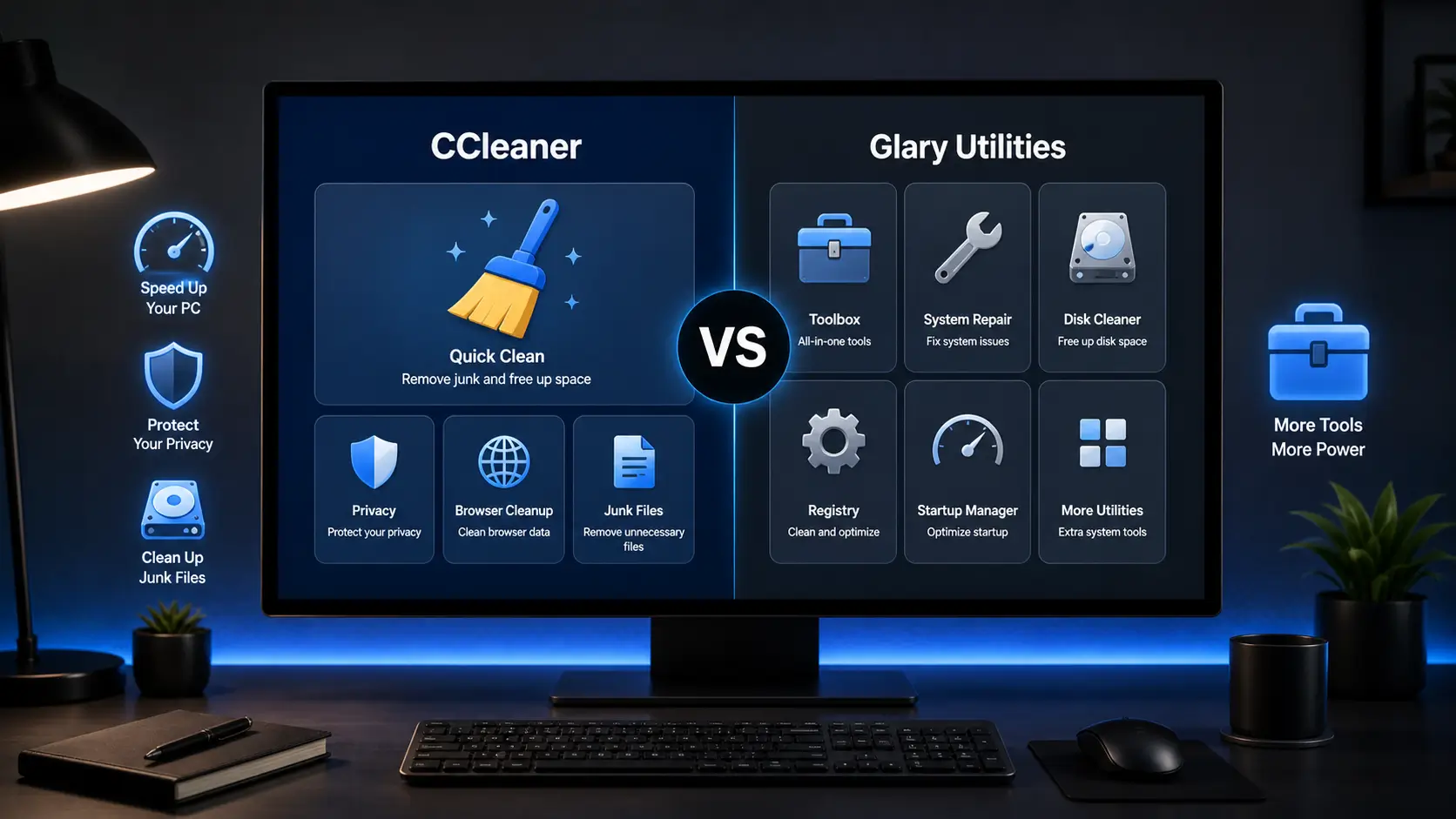
CCleaner vs Glary Utilities is a common comparison for Windows users who want to clean junk files, reduce startup load, and keep their PC running smoothly without using too many tools.
The mistake many users make is choosing the tool with the longest feature list. More tools can be useful, but they can also feel confusing if you are not sure what registry cleaning, disk repair, or startup changes actually do.
This guide compares CCleaner and Glary Utilities in simple terms, including cleaning features, ease of use, safety, pricing, and who should use each one.
CCleaner is better if you want a simple PC cleaner for junk files, browser traces, startup items, and easy maintenance. Glary Utilities is better if you want a wider all-in-one Windows utility suite, but it may feel more crowded for beginners.
CCleaner vs Glary Utilities: Quick Comparison
| Feature | CCleaner | Glary Utilities |
|---|---|---|
| Best for | Simple cleaning and privacy cleanup | All-in-one Windows maintenance |
| Ease of use | Easier for beginners | More tools, slightly busier layout |
| Cleaning tools | Junk files, browser traces, recycle bin, temporary files | Junk files, privacy records, invalid shortcuts, registry items |
| Extra tools | Health Check, Software Updater, Driver Updater, Performance Optimizer in paid plans | 1-Click Maintenance, Disk Cleanup, Registry Repair, Disk Defrag, File Recovery, Startup Manager |
| Best choice | Choose CCleaner for simple and focused cleanup | Choose Glary Utilities for more built-in tools |
What CCleaner Does Well
Simple Junk File Cleaning
CCleaner is known for quick junk file cleaning. It can remove temporary files, browser cache, recycle bin items, and other files that build up during normal Windows use.
This makes it useful for people who want a simple cleaner without opening too many different tools. If your main problem is low disk space or browser clutter, CCleaner is easy to understand.
Browser Privacy Cleanup
CCleaner can clear browser history, cookies, cache files, download history, and other tracking traces. This helps users who want a cleaner browser without manually opening every browser setting.
However, you should review what it removes before cleaning. Deleting cookies can sign you out of websites, and clearing browser data may remove saved sessions you still need.
Health Check and Paid Features
CCleaner’s paid plans add more automatic tools, including Health Check, software updates, driver updates, and performance features. These can be useful if you want a more guided experience.
For a deeper review of its features, safety, and value, you can read our full CCleaner review.
What Glary Utilities Does Well
One-Click Maintenance
Glary Utilities is built around a wider set of maintenance tools. Its 1-Click Maintenance feature can scan common Windows issues, including junk files, privacy traces, shortcuts, startup items, and some registry entries.
This is helpful for users who want one dashboard for many tasks. It gives you more tools than a basic cleaner, but you should still check the scan results before applying every fix.
More Built-In Utility Tools
Glary Utilities includes tools for disk cleanup, disk defrag, file recovery, startup management, registry repair, and privacy cleanup. This makes it feel more like a full Windows utility suite than a simple cleaner.
That extra depth is useful for users who like control. But for beginners, too many options can also increase the chance of changing something without understanding the effect.
Disk, Registry, and File Tools
Glary Utilities gives you more disk-related tools than CCleaner, including disk cleanup and disk defrag options. It also includes file recovery and registry repair tools.
It should not be treated as a full replacement for a dedicated partition manager or professional recovery tool. For a more focused look at its features, see our Glary Utilities review.
Main Differences Between CCleaner and Glary Utilities
Ease of Use
CCleaner is easier to use because it focuses on fewer core tasks. Most users can open it, run a scan, review the results, and clean junk files without feeling lost.
Glary Utilities gives you more options in one place. That is useful for advanced users, but it can feel more crowded if you only want basic PC cleanup.
Cleaning and Optimization
Both tools can clean junk files, browser data, and temporary files. CCleaner is more focused on everyday cleaning, while Glary Utilities includes broader optimization and repair tools.
If your Windows PC feels slow because of junk files and startup load, either tool may help. If the real problem is old hardware, low RAM, overheating, malware, or a failing drive, a cleaner will not solve everything.
Extra Tools
Glary Utilities offers more built-in tools, including file recovery, disk defrag, registry repair, shortcut fixing, and startup management. This makes it more flexible for users who like having many utilities in one program.
CCleaner keeps the experience simpler. Its paid plans add more features, but the main appeal is still easy cleaning, privacy cleanup, and guided maintenance.
Safety and Beginner Risk
CCleaner is generally easier for beginners because it does fewer things by default. You still need to review browser cookies, saved sessions, and any advanced cleanup options before deleting them.
Glary Utilities gives you more power, but that also means you need more care. Registry repair, deep cleaning, and system tools should be used carefully, especially if you do not have a recent restore point.
Which Tool is Better for PC Speed?
CCleaner may help if your PC has too many temporary files, browser cache files, or startup items. It is a good choice for simple cleanup and regular maintenance.
Glary Utilities may help if you want a wider set of tools for startup control, disk cleanup, registry checks, and Windows maintenance. It gives you more options, but you should not run every tool without checking the result.
If you are comparing more options, our guide to the best PC optimizer software can help you see where both tools fit against other Windows cleaners.
Which Tool Offers Better Value?
CCleaner offers better value for users who want a simple cleaner and do not need many extra tools. The free version may be enough for basic junk file cleaning and browser cleanup.
Glary Utilities can offer better value if you want more tools in one package. It is especially useful if you need startup management, disk tools, file recovery, and one-click maintenance from the same dashboard.
The better value depends on how much you will actually use. A simple cleaner is better than a large utility suite if you only need basic cleanup once or twice a month.
Who Should Use CCleaner?
Choose CCleaner if you want a simple Windows cleaner with a clean interface. It is a better fit for users who mainly want to remove junk files, clear browser traces, empty the recycle bin, and manage startup items.
It is also a good choice if you prefer fewer settings and a more guided experience. Beginners who want basic cleanup without exploring many advanced tools may find CCleaner easier.
Who Should Use Glary Utilities?
Choose Glary Utilities if you want a wider Windows maintenance toolkit. It is better for users who want cleaning, startup control, disk tools, file recovery, shortcut repair, and registry tools in one program.
It is also useful if you like checking different parts of your PC from one dashboard. Just remember to review each result carefully before applying fixes, especially with registry and repair tools.
What to Avoid When Using PC Cleaners
Do not run every cleanup option without checking what it removes. Browser cookies, saved sessions, recent files, and temporary app data may still be useful for your daily work.
Be careful with registry cleaning. It may remove leftover entries, but it can also create problems if the wrong items are deleted. Always review changes and create a restore point before deep cleanup.
- Do not use multiple cleaners aggressively on the same day.
- Do not expect a cleaner to fix weak hardware or a failing drive.
- Do not delete files if you are not sure what they are.
- Do not treat driver updates as risk-free.
- Do not ignore built-in Windows tools like Storage Sense and Windows Update.
For more safety tips, read our guide on common mistakes when using PC optimizers.
FAQs
Q: What’s the difference between CCleaner and Glary Utilities?
A: CCleaner focuses more on simple system cleaning, privacy protection, browser cleanup, and basic PC health checks. Glary Utilities offers a wider set of tools, including registry cleanup, file management, disk tools, and data recovery features.
Q: Is CCleaner Free enough, or do I need the pro version?
A: CCleaner Free is enough for basic junk file cleaning, browser and cookies cleanup, and removing old and unused files. The pro version is better if you want automatic scans, software updates, driver tools, and more advanced features.
Q: Is Glary Free enough, or should I choose Glary Pro?
A: Glary Free can handle basic cleanup and optimization tasks. Glary Pro is better if you want automatic maintenance, deeper registry cleaner options, premium support, and extra features for regular PC care.
Q: Does Glary Utilities include data recovery?
A: Yes, Glary Utilities includes quick access to data recovery and file recovery tools, including Glarysoft Files Recovery features in some versions. However, it should not replace a dedicated recovery tool if your hard drive has serious damage or important lost files.
Q: Which tool is better for privacy protection?
A: CCleaner is usually easier for privacy protection because it can remove browser history, tracking cookies, cache files, and other browsing traces in a user-friendly way. Glary Utilities also includes privacy tools, but its interface has more options to review.
Q: Can CCleaner or Glary Utilities improve PC speed?
A: Both tools may help with PC speedup if your device performance is affected by junk files, unused files, startup items, or browser clutter. They will not fix every slow PC problem, especially if the issue is low RAM, an old hard drive, overheating, or malware.
Q: Is registry cleaner safe to use in CCleaner or Glary Utilities?
A: Registry cleaner tools should be used carefully. Registry cleanup may remove old or unused entries, but it is not a guaranteed speed fix. Always review the results first and create a restore point before using a deep registry cleaner.
Final Verdict
CCleaner is the better choice for most users who want simple PC cleaning, browser privacy cleanup, and a beginner-friendly layout. It is easier to understand and better suited for quick maintenance.
Glary Utilities is the better choice if you want more tools in one place. It gives you a broader Windows utility suite, but it requires more care because there are more options to review.
If you want the safest choice, start with basic cleanup only. Avoid aggressive registry changes, review scan results, and use a restore point before making deeper system changes.
Buying CCleaner or Glary Utilities in Pakistan
This comparison is written for general Windows users. If you are in Pakistan and want to buy a genuine licence, BreTech lists the main paid options with PKR pricing, local payment options, digital email delivery, activation guidance, and official invoice support.
For simple PC cleaning, browser privacy cleanup, startup control, and regular Windows maintenance, you can check CCleaner Professional.
If you want a fuller CCleaner bundle with extra tools, compare CCleaner Professional Plus before buying.
If you prefer a wider Windows utility suite with more built-in maintenance tools, check Glary Utilities PRO.
Further Reading
- Best free PC optimizer tools for Windows
- How to optimize your Windows 11 PC
- How to remove leftover files after uninstalling software
- Glary Utilities Pro vs Advanced SystemCare
Explore more helpful Windows tools, app comparisons, and software tips in our Software & Apps guides.